 EN
EN
 AR
AR
 BG
BG
 HR
HR
 CS
CS
 DA
DA
 NL
NL
 FR
FR
 DE
DE
 EL
EL
 HI
HI
 IT
IT
 JA
JA
 KO
KO
 NO
NO
 PL
PL
 PT
PT
 RO
RO
 RU
RU
 ES
ES
 SV
SV
 TL
TL
 IW
IW
 ID
ID
 SR
SR
 SK
SK
 VI
VI
 HU
HU
 TH
TH
 TR
TR
 FA
FA
 AF
AF
 MS
MS
 SW
SW
 UR
UR
 BN
BN
 HA
HA
 KM
KM
 MN
MN
 UZ
UZ

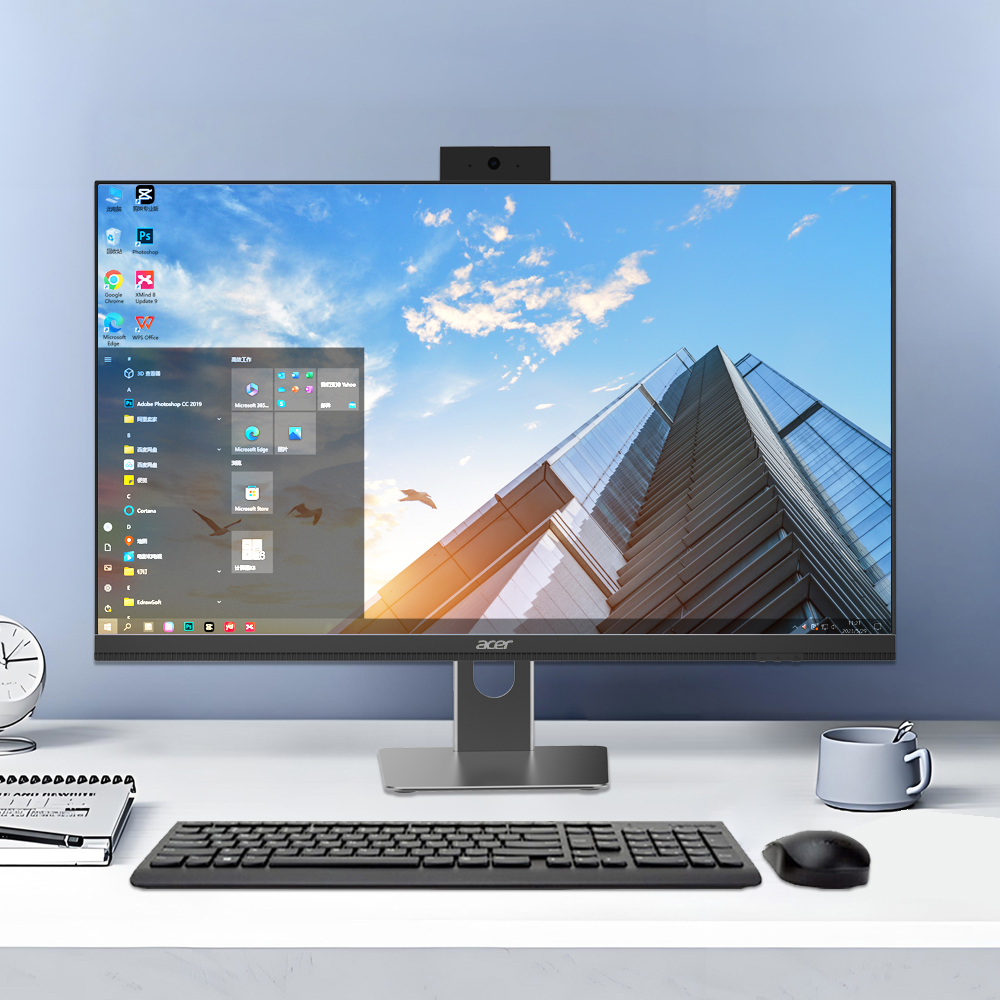
Modern office environments demand comprehensive computing solutions that streamline workflows and maximize productivity. A desktop computer complete set emerges as the cornerstone of efficient office operations, providing businesses with integrated hardware components that work seamlessly together to eliminate bottlenecks and enhance overall performance. Understanding how these complete systems support office efficiency requires examining their role in creating cohesive, reliable, and scalable workplace technology infrastructures.
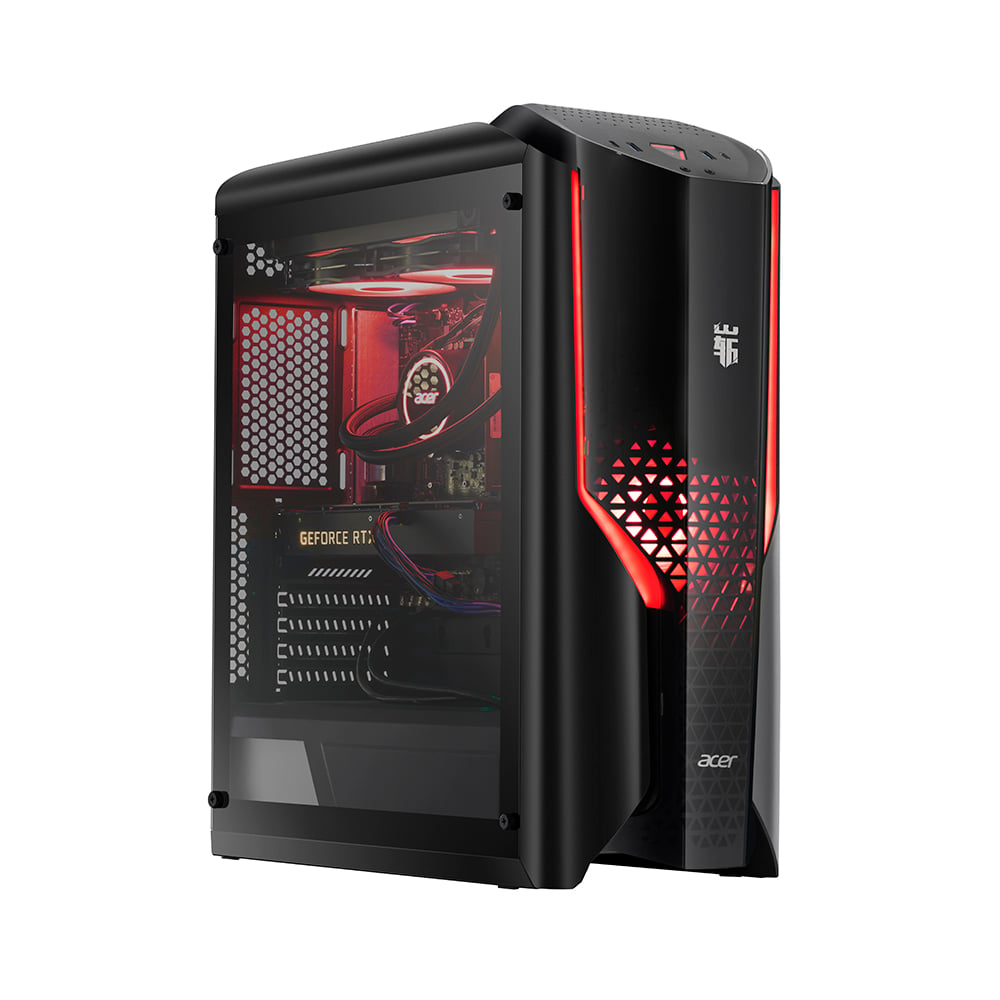
The integration of matched components within a desktop computer complete set eliminates compatibility issues while ensuring optimal resource allocation across all system elements. This foundational approach to office computing creates stable platforms that support demanding business applications, multitasking scenarios, and collaborative work environments without the performance degradation commonly associated with mismatched hardware configurations.
Hardware Integration Mechanisms for Enhanced Productivity
Component Compatibility and System Stability
A desktop computer complete set ensures that all hardware components are specifically selected and tested together to provide maximum compatibility and system stability. The processor, memory, storage, and peripheral devices within these sets are matched based on performance profiles that complement each other, reducing system crashes and unexpected downtime that can severely impact office productivity. This careful component selection process eliminates the guesswork involved in building custom systems while ensuring that each element operates within its optimal performance parameters.
The motherboard architecture in a desktop computer complete set is designed to support all included components at their full performance potential, with adequate power delivery systems and thermal management solutions. This integrated approach prevents bottlenecks that occur when individual components cannot communicate efficiently, resulting in smoother application performance and faster task completion times. Office workers benefit from reduced loading times, more responsive software interfaces, and the ability to run multiple applications simultaneously without experiencing system slowdowns.
Memory allocation and storage optimization within complete sets are calibrated to support typical office workloads, including document processing, spreadsheet analysis, presentation creation, and communication software. The balanced configuration ensures that system resources are distributed efficiently, preventing memory conflicts and storage access delays that can interrupt workflow continuity and reduce overall office efficiency.
Streamlined Setup and Deployment Processes
The deployment efficiency of a desktop computer complete set significantly reduces the time and technical expertise required to establish functional office workstations. Pre-configured systems arrive ready for immediate use with all drivers installed and compatibility issues resolved, allowing IT departments to focus on strategic initiatives rather than troubleshooting hardware conflicts. This streamlined deployment process enables businesses to scale their computing infrastructure quickly during periods of growth or reorganization.
Cable management and peripheral connectivity are optimized within complete sets to minimize setup complexity and reduce workspace clutter. The included peripherals such as keyboards, mice, and monitors are pre-matched to work seamlessly with the desktop unit, eliminating the need for additional driver installations or configuration adjustments. This plug-and-play functionality allows office staff to become productive immediately without waiting for technical support or spending time on system configuration tasks.
Standard configurations within desktop computer complete set offerings enable IT departments to develop standardized deployment procedures and maintenance protocols. This standardization reduces training requirements for support staff and ensures consistent user experiences across all office workstations, contributing to improved overall productivity and reduced support costs.
Performance Optimization for Office Applications
Processing Power Allocation for Business Tasks
The processor specifications in a desktop computer complete set are carefully selected to handle the computational demands of modern office software while maintaining energy efficiency and thermal stability. Multi-core architectures enable efficient multitasking, allowing office workers to run video conferencing software, document editing applications, web browsers, and communication tools simultaneously without experiencing performance degradation. This processing capability ensures that complex spreadsheet calculations, large document formatting, and database queries complete quickly, reducing wait times and improving workflow efficiency.
Cache memory and instruction pipeline optimizations within complete set processors are tuned for office application performance patterns, providing faster access to frequently used data and reducing computational delays. The balanced approach to processor selection ensures that systems provide adequate performance for demanding tasks while avoiding unnecessary power consumption that could increase operational costs or generate excessive heat in office environments.
Integrated graphics capabilities within desktop computer complete set configurations support multiple monitor setups and high-resolution displays that enhance productivity through expanded screen real estate. This graphics performance enables smooth video playback during presentations, clear rendering of complex documents, and responsive user interfaces that contribute to improved user satisfaction and task completion efficiency.
Memory and Storage Performance Enhancement
RAM configurations in desktop computer complete set systems are optimized for office multitasking scenarios, providing sufficient memory capacity to keep multiple applications active without requiring constant data swapping to storage devices. Adequate memory allocation ensures that switching between applications occurs instantly, maintaining workflow continuity and preventing productivity losses associated with application loading delays. The memory specifications also support future software updates and additional applications without requiring immediate system upgrades.
Storage subsystems within complete sets combine solid-state drives for operating system and application performance with traditional storage for document archival, creating balanced solutions that optimize both speed and capacity. Fast boot times and application launching reduce the time office workers spend waiting for systems to become operational, while adequate storage capacity ensures that all business files and software can be maintained locally for optimal access speeds.
File system optimization and disk caching strategies implemented in complete set configurations improve data access patterns for typical office workflows, reducing file opening times and saving delays that can accumulate into significant productivity losses over the course of a workday. These optimizations are particularly beneficial for applications that work with large documents or databases, ensuring consistent performance throughout extended work sessions.
Ergonomic and Workspace Integration Benefits
Physical Design Considerations for Office Environments
The physical form factor and design elements of a desktop computer complete set are engineered to integrate seamlessly into modern office environments while minimizing space consumption and visual clutter. Compact desktop units with efficient cooling systems operate quietly, reducing workplace noise levels that can impact concentration and productivity. The standardized footprint of complete sets allows for consistent desk arrangements and space planning, enabling offices to maximize workspace utilization while maintaining organized, professional appearances.
Ventilation and thermal management systems within complete sets are designed to operate effectively in typical office temperature ranges without requiring special environmental controls or generating excessive heat that could affect worker comfort. Quiet operation ensures that multiple systems can operate in open office environments without creating distracting noise levels, while efficient power consumption reduces heat generation and energy costs associated with cooling systems.
Cable routing and connector placement in desktop computer complete set designs minimize desk clutter and create cleaner workspace aesthetics that contribute to improved focus and reduced stress levels. Integrated cable management features and standardized connection types simplify maintenance procedures and reduce the time required for system relocations or reconfigurations during office reorganizations.
User Interface and Accessibility Features
Monitor specifications within desktop computer complete set packages are selected to provide optimal viewing experiences that reduce eye strain and support extended work sessions. Screen sizes, resolution capabilities, and color accuracy are matched to typical office tasks, ensuring that text remains sharp and readable while graphics and images display with sufficient clarity for professional presentations and document review. Adjustable monitor stands and multiple connectivity options enable users to customize their viewing setup for maximum comfort and productivity.
Keyboard and mouse combinations included with complete sets feature ergonomic designs that support comfortable typing and navigation during long work sessions. Responsive key mechanisms and precise cursor control contribute to faster text input and more accurate data entry, directly impacting productivity in document-heavy work environments. Wireless connectivity options reduce desk clutter while maintaining reliable performance for uninterrupted workflow continuity.
Audio capabilities integrated into desktop computer complete set configurations support clear communication during video conferences and webinars while providing adequate sound quality for multimedia presentations and training materials. Built-in speakers and microphone systems eliminate the need for additional audio equipment while ensuring that office workers can participate effectively in remote meetings and collaborative sessions.
Network Connectivity and Collaboration Enhancement
Network Performance and Reliability Features
Network interface capabilities within a desktop computer complete set provide reliable, high-speed connectivity that supports modern office communication and collaboration requirements. Gigabit ethernet connections ensure fast file transfers and responsive cloud application access, while integrated wireless capabilities enable flexible workspace arrangements without compromising connectivity performance. These networking features support seamless integration with office infrastructure while providing backup connectivity options that maintain productivity during network maintenance or temporary outages.
Security features integrated into complete set networking components provide protection against unauthorized access and data breaches while maintaining user-friendly operation. Hardware-based encryption capabilities and secure boot processes ensure that sensitive business information remains protected without requiring complex configuration procedures or specialized security expertise from office staff. These built-in security measures contribute to overall office efficiency by reducing the time and resources required for cybersecurity management.
Network performance optimization features within desktop computer complete set configurations prioritize business-critical traffic and applications, ensuring that essential communication tools and cloud services maintain responsive performance even during peak usage periods. Quality of service management and bandwidth allocation features prevent network congestion from impacting productivity, while automatic failover capabilities maintain connectivity during infrastructure disruptions.
Remote Work and Hybrid Office Support
VPN and remote access capabilities built into desktop computer complete set systems enable secure connections to office networks and resources from any location, supporting flexible work arrangements without compromising security or performance. These features allow office workers to maintain full productivity whether working from traditional office spaces, home offices, or temporary locations, contributing to improved work-life balance and business continuity during unexpected disruptions.
Cloud integration features within complete set configurations provide seamless synchronization with popular business applications and storage services, ensuring that documents and data remain accessible across all work environments. Automatic backup capabilities and version control features protect against data loss while enabling collaborative document editing and project management workflows that span multiple locations and team members.
Video conferencing optimization within desktop computer complete set hardware ensures clear audio and video quality during remote meetings and presentations. Integrated cameras, microphones, and processing capabilities are calibrated to provide professional-quality communication experiences that maintain the effectiveness of face-to-face collaboration in virtual environments, supporting productivity and team cohesion in hybrid work models.
Cost Efficiency and Total Ownership Benefits
Initial Investment and Budget Optimization
The bundled pricing structure of a desktop computer complete set typically provides significant cost savings compared to purchasing individual components separately, while ensuring compatibility and warranty coverage across all system elements. This integrated approach to procurement simplifies budget planning and reduces the administrative overhead associated with managing multiple vendor relationships and support contracts. Businesses can allocate computing budgets more effectively while ensuring consistent quality and performance standards across all office workstations.
Volume purchasing advantages available through complete set configurations enable businesses to negotiate better pricing terms and support agreements while maintaining standardized computing environments. These economies of scale contribute to reduced per-unit costs while providing access to enterprise-grade support services that might not be available for individual component purchases. The predictable pricing structure also simplifies financial planning and budget approval processes for IT infrastructure investments.
Financing and leasing options specifically designed for desktop computer complete set purchases provide flexible payment structures that align with business cash flow requirements while enabling access to current technology without large upfront investments. These financial arrangements often include upgrade paths and refresh cycles that ensure office computing capabilities remain current with evolving business requirements and software demands.
Maintenance and Support Efficiency
Unified warranty coverage and support services for desktop computer complete set components streamline maintenance procedures and reduce downtime during hardware failures or technical issues. Single-point support contact eliminates the complexity of dealing with multiple vendors during troubleshooting, while comprehensive coverage ensures that replacement parts and repair services are readily available when needed. This integrated support approach minimizes the impact of hardware problems on office productivity while reducing the technical expertise required from internal IT staff.
Standardized configurations within complete set offerings enable efficient spare parts inventory management and reduce the variety of components that IT departments must maintain for emergency repairs. Common hardware platforms across office workstations simplify troubleshooting procedures and enable rapid component swapping during system failures, minimizing user downtime and maintaining business continuity during hardware issues.
Predictable upgrade paths and refresh cycles built into desktop computer complete set programs enable businesses to plan technology investments strategically while maintaining current performance capabilities. Regular refresh schedules ensure that office computing resources remain adequate for evolving software requirements while providing opportunities to incorporate new productivity-enhancing features and capabilities as they become available.
FAQ
What specific components are typically included in a desktop computer complete set?
A desktop computer complete set typically includes the desktop unit with processor, memory, and storage, along with a monitor, keyboard, mouse, speakers, and all necessary cables. Some sets also include webcams, headsets, or additional peripherals depending on the intended office applications. All components are pre-tested together to ensure compatibility and optimal performance in office environments.
How does a complete set improve office efficiency compared to individual component purchases?
Complete sets eliminate compatibility issues and reduce setup time, allowing office workers to become productive immediately. The integrated components are optimized to work together efficiently, preventing performance bottlenecks and system conflicts that can interrupt workflows. Additionally, unified support and warranty coverage simplifies maintenance and reduces downtime during technical issues.
Can desktop computer complete sets be customized for specific office requirements?
Many complete set configurations offer customization options for memory capacity, storage type, monitor size, and peripheral selection to match specific office workflows and user preferences. However, these customizations typically occur within predefined compatibility parameters to maintain system stability and support efficiency. Businesses can often work with suppliers to develop standardized configurations that meet their specific operational requirements.
What are the long-term cost benefits of choosing complete sets for office computing?
Desktop computer complete sets provide long-term cost benefits through reduced initial procurement costs, simplified maintenance procedures, and predictable upgrade paths. Unified warranty coverage and support services reduce administrative overhead while standardized configurations enable efficient spare parts management and troubleshooting procedures. The integrated approach also typically includes better financing options and volume discounts compared to individual component purchases.
Table of Contents
- Hardware Integration Mechanisms for Enhanced Productivity
- Performance Optimization for Office Applications
- Ergonomic and Workspace Integration Benefits
- Network Connectivity and Collaboration Enhancement
- Cost Efficiency and Total Ownership Benefits
-
FAQ
- What specific components are typically included in a desktop computer complete set?
- How does a complete set improve office efficiency compared to individual component purchases?
- Can desktop computer complete sets be customized for specific office requirements?
- What are the long-term cost benefits of choosing complete sets for office computing?