 EN
EN
 AR
AR
 BG
BG
 HR
HR
 CS
CS
 DA
DA
 NL
NL
 FR
FR
 DE
DE
 EL
EL
 HI
HI
 IT
IT
 JA
JA
 KO
KO
 NO
NO
 PL
PL
 PT
PT
 RO
RO
 RU
RU
 ES
ES
 SV
SV
 TL
TL
 IW
IW
 ID
ID
 SR
SR
 SK
SK
 VI
VI
 HU
HU
 TH
TH
 TR
TR
 FA
FA
 AF
AF
 MS
MS
 SW
SW
 UR
UR
 BN
BN
 HA
HA
 KM
KM
 MN
MN
 UZ
UZ

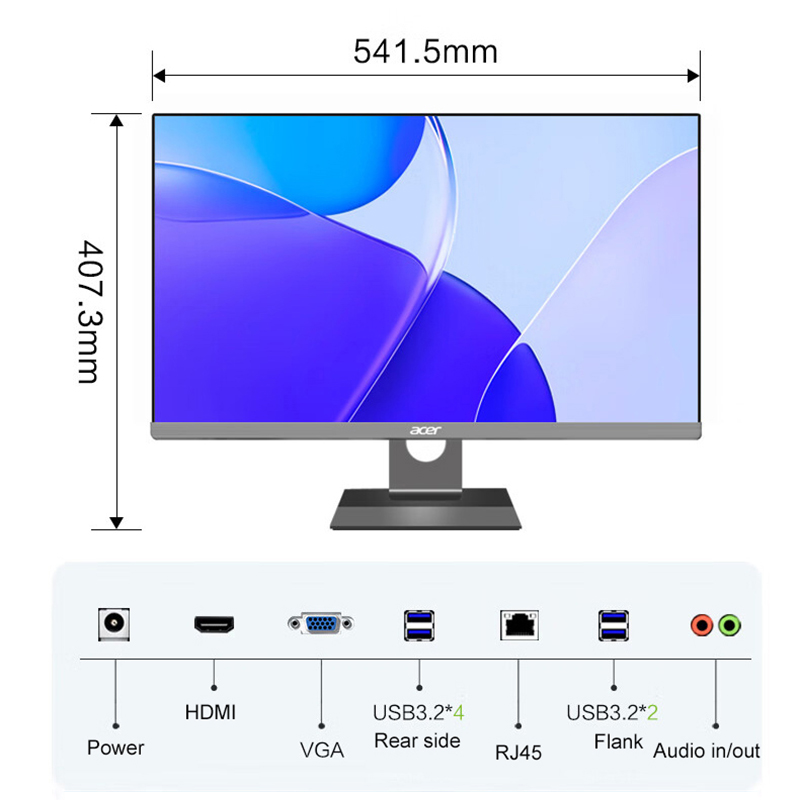
Moderní kanceláře jsou neustále pod tlakem maximalizovat produktivitu a zároveň minimalizovat fyzický nepořádek. A aio počítač nabízí revoluční přístup k organizaci pracovního prostoru tím, že sloučí výpočetní výkon, zobrazovací funkce a připojení do jednoho jednotného zařízení. Na rozdíl od tradičních stolních sestav, které vyžadují samostatné monitory, skříně a infrastrukturu pro správu kabelů, AIO počítač zjednodušuje celý výpočetní proces a vytváří čistější a lépe organizované pracovní prostředí, které podporuje jak soustředění, tak efektivitu.
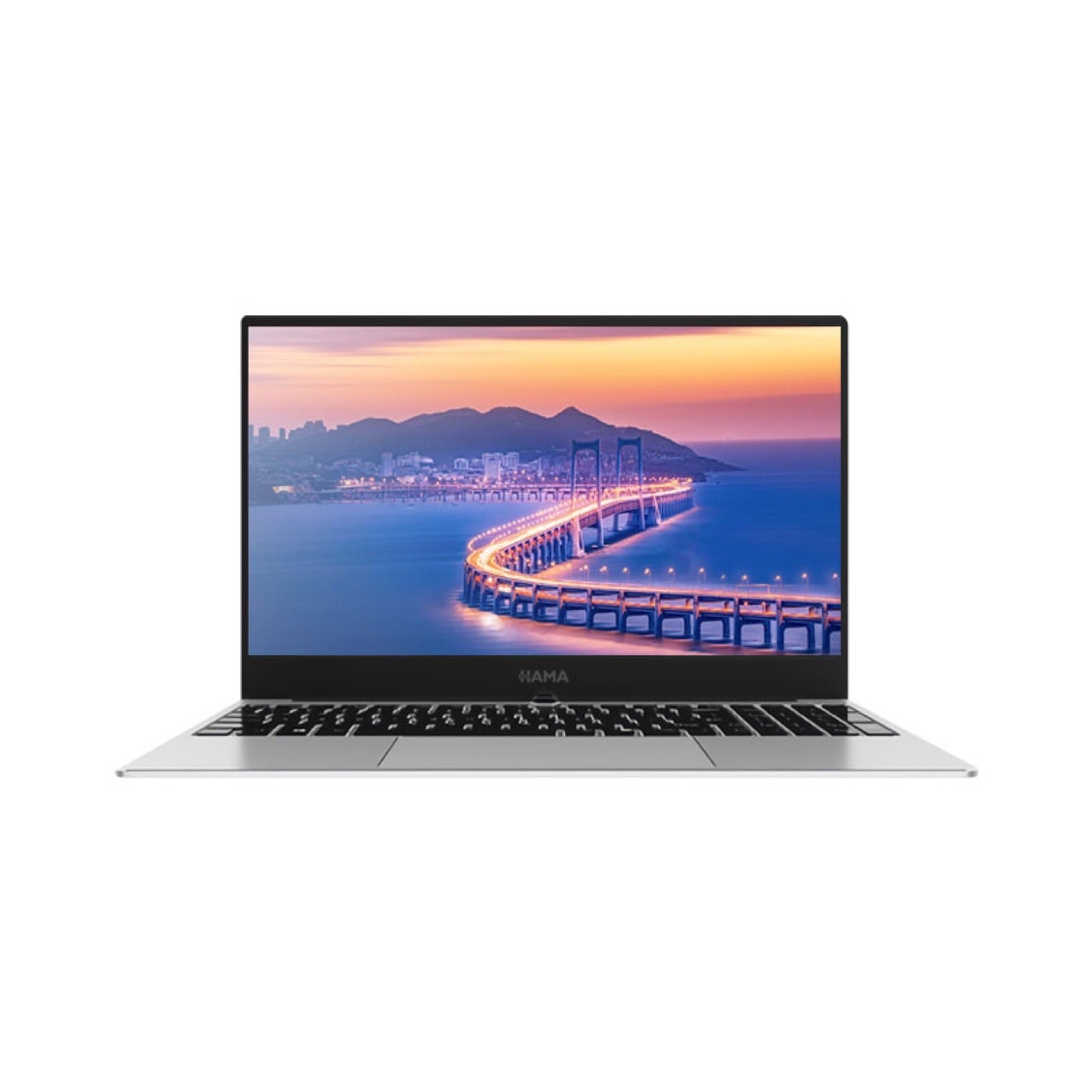
AIO počítač zásadně mění fungování kancelářských prostor tím, že eliminuje plochu stolu potřebnou pro tradiční vícesoučástkové systémy. Díky integrovanému designu mohou společnosti umístit více pracovních stanovišť do stejného prostoru, zlepšit vizuální estetiku a snížit zapletenost kabelů, která často vytváří jak bezpečnostní rizika, tak organizační chaos. Pro organizace, které dávají přednost štíhlému kancelářskému designu a bezproblémovému toku pracovního prostředí, představuje AIO počítač strategickou investici do prostorové efektivity a profesionální prezentace.
Jak AIO počítač optimalizuje fyzický prostor stolu
Snížení plochy díky integraci
Tradiční počítačová uspořádání zabírají značnou část pracovní plochy stolu. Jednotka typu tower, samostatný monitor, klávesnice, myš a kabely obvykle zabírají mezi dvanácti a osmnácti čtverečními stopami (cca 1,1–1,7 m²) užitné pracovní plochy, pokud bereme v úvahu správnou ergonomii a přívod vzduchu. Počítač typu AIO (All-in-One) sloučí všechny tyto prvky do jediného zařízení o velikosti monitoru, jehož úhlopříčka obvykle činí dvacet až sedmadvacet palců (cca 51–69 cm). Toto sloučení snižuje skutečnou plochu na stole potřebnou pro zařízení na přibližně šest až osm čtverečních stop (cca 0,6–0,75 m²) a vytváří okamžitou úsporu prostoru, která se přímo promítá do rozšířené pracovní plochy pro dokumenty, materiály pro poznámkování nebo společné úkoly.
Svislé uspořádání vševzdárného počítače umožňuje také flexibilní uspořádání pracovní plochy. Na rozdíl od věžových systémů, které vyžadují umístění do rohu nebo vyhrazený prostor na podlaze, lze vševzdárný počítač umístit na standardní držáky pro monitory, systémy pro montáž na stěnu nebo nastavitelné stojany, které umožňují různé konfigurace pracovních ploch. Tato flexibilita je neocenitelná v otevřených kancelářích, kde dochází k častému přeuspořádání pracovních prostorů, nebo v organizacích, které provozují hybridní modely a vyžadují rychlou rotaci pracovních míst mezi vzdálenou a kancelářskou prací.
Správa kabelů a zlepšení estetiky
Rozšířené používání kabelů představuje významnou organizační výzvu v tradičních kancelářských prostředích. Kabely pro monitory, napájecí šňůry, USB připojení, síťové kabely a připojení periferních zařízení vytvářejí za pracovními plochami nepřehledné hromady, které se plní prachem, brání cirkulaci vzduchu a ztěžují odstraňování poruch. All-in-one počítač výrazně zjednodušuje kabelovou architekturu tím, že veškerá interní připojení vedou přes jediný integrovaný kryt. Externí připojení jsou soustředěna u základny monitoru nebo na zadním panelu, čímž se vytváří čistější pracovní plochy, kde volné kabely již nezpůsobují vizuální nepořádek ani nevytvářejí riziko zakopnutí.
Tato organizační výhoda sa rozširuje aj za rámec estetiky. Keď je tradičné usporiadanie nahradené aio počítačom, tím zodpovedný za prevádzku priestorov strávi menej času správou káblovej infraštruktúry, údržbou jednotlivých komponentov alebo reakciou na problémy s pripojením spôsobené odpojenými perifériami. Zjednodušená architektúra zníži zložitosť odstraňovania porúch, urýchli výmenu vybavenia a vytvorí bezpečnejšie pracovné prostredie, kde usporiadané vedenie káblov eliminuje riziko nehôd a zároveň podporuje dodržiavanie stavebných predpisov pre bezpečnostné normy v kanceláriách.
Zvyšovanie produktivity prostredníctvom jednotného výpočtového systému
Integrovaný výkon a pripojenie
All-in-one počítač integruje výpočetní výkon, grafické schopnosti a infrastrukturu pro připojení, která je speciálně navržena pro kancelářské aplikace zaměřené na produktivitu. Na rozdíl od systémů určených pro spotřebitele mají profesionální modely all-in-one počítačů robustní procesory, velké konfigurace operační paměti RAM a spolehlivá úložiště optimalizovaná pro správu dokumentů, videohovory a spolupracující aplikace. Vestavěný displej je kalibrován pro barevnou přesnost a čitelnost, čímž se eliminují problémy s kompatibilitou nebo nastavením obrazu, které vyplývají z neslučitelných kombinací komponent.
Připojitelnost představuje klíčový faktor produktivity, který vše-v-jednom počítač řeší komplexně. Vestavěné technologie Wi-Fi, Bluetooth, USB porty a audio systémy eliminují nepřehlednost externích adaptérů, jež obvykle provází tradiční stolní počítače. Zaměstnanci se mohou bezproblémově připojit k firemním sítím, připojit periferní zařízení bez nutnosti hledat správné kabely a využívat cloudové nástroje pro spolupráci s konzistentním a spolehlivým výkonem. Tato integrace je zvláště cenná v situacích vyžadujících rychlou reakci, kdy se schůzky rychle střídají mezi účastníky přítomnými na místě a vzdálenými, a je tedy nutné okamžitě přepínat mezi zařízeními bez technických prodlev.
Snížená prostojová doba a složitost údržby
Zátěž údržby systému výrazně klesá, pokud je konvenční vícesoučástková konfigurace nahrazena all-in-one počítačem. Namísto diagnostikování toho, zda problémy s výkonem vyplývají z matiční desky, grafické karty, monitoru nebo nějaké nekompatibility mezi jednotlivými součástmi, týmy IT podpory řeší poruchy jednotného systému s dokumentovanou architekturou a předvídatelnými vzory selhání. All-in-one počítač představuje standardizovanou platformu, na které se správa konfigurace, aktualizace softwaru a bezpečnostní opravy aplikují konzistentně na všechny jednotky, čímž se snižují nároky na školení a složitost podporovaných požadavků.
Zamezení prostojů se stává účinnější díky all-in-one počítači, protože náhradní jednotky představují plně funkční samostatná zařízení, nikoli součásti vyžadující opětovné sestavení. V případě hardwarové poruchy organizace prostě vymění jednotku all-in-one počítače místo toho, aby trávily hodiny diagnostikou toho, zda problém postihuje jeden komponent nebo více navzájem propojených částí. Tato rychlá výměnná schopnost udržuje nepřetržitý chod podniku, zatímco IT týmy provádějí opravy mimo provoz – což je významná výhoda pro organizace, kde nedostupnost stolních počítačů přímo ovlivňuje výnosy nebo dodávku služeb.
Podpora moderních trendů kancelářského designu
Přizpůsobení flexibilnímu pracovišti
Současné kancelářské prostředí stále více klade důraz na flexibilitu, podporují uspořádání typu hot-desking, modely práce založené na aktivitách a dynamické přidělování prostoru. All-in-one počítač se těmto trendům přirozeně přizpůsobuje, protože jeho přenosnost a přepracování vyžadují minimální úsilí. Na rozdíl od systémů s desktopovými jednotkami, u nichž přemístění zahrnuje odpojení několika komponentních rozhraní a opětovné sestavení celé konfigurace, stačí při přesunu all-in-one počítače mezi pracoviště pouze připojit napájení a nastavit síťové připojení. Tato snadná přenosnost umožňuje rychlé přeformátování pracovního prostoru bez prodlouženého výpadku nebo nutnosti zásahu IT oddělení.
All-in-one počítač také podporuje distribuované kancelářské modely, které kombinují práci z domova s pravidelnou přítomností v kanceláři. Organizace, které tento hybridní přístup uplatňují, těží ze standardizovaných nasazení all-in-one počítačů, kde je uživatelská zkušenost konzistentní bez ohledu na to, zda zaměstnanci pracují z přidělených pracovních stanic nebo se střídají u dostupných pracovních ploch. Zjednodušený proces nastavení snižuje bariéry při začínání práce, urychluje aktivaci pracovního prostředí pro nové zaměstnance a podporuje bezproblémovou spolupráci mezi členy týmu pracujícími z domova a v kanceláři, kteří sdílejí identická aplikační prostředí a protokoly připojení.
Udržitelnost a energetická účinnost
Ekologická zodpovědnost stále více ovlivňuje rozhodování firem o nákupu, a all-in-one počítač nabízí měřitelné výhody pro udržitelnost. Konsolidovaný design minimalizuje balení materiálů, snižuje výrobní odpad spojený s výrobou samostatných komponent a umožňuje efektivnější recyklaci ve srovnání se systémy složenými z více částí, které vyžadují rozmontování. Spotřeba energie se zlepšuje, protože all-in-one počítač funguje jako jeden optimalizovaný systém, ve kterém dodávka energie, tepelné řízení a synchronizace komponent probíhají prostřednictvím jednotného inženýrského řešení místo toho, aby každé zařízení mělo svůj vlastní nezávislý zdroj napájení.
AIO počítač obvykle spotřebuje o patnáct až třicet procent méně elektrické energie než ekvivalentní tradiční stolní sestavy, které spotřebují energii jak pro samostatné skříně, tak pro oddělené monitory. Na organizační úrovni zahrnující desítky či stovky pracovních stanic se tato účinnost promítá do významných úspor nákladů a snížení uhlíkové stopy, což odpovídá korporátním závazkům v oblasti udržitelnosti. Týmy provozu zařízení také profitují z jednoduššího řízení napájení, standardizovaných požadavků na prodlužovací kabely a snížených nároků na chlazení – tyto výhody se šíří i na celkovou účinnost budov, pokud jsou AIO počítače nasazeny místo konvenčních konfigurací na více pracovních stanicích.
Často kladené otázky
Jaká velikost AIO počítače je pro kancelářské prostředí nejvhodnější?
Pro typickou kancelářskou produktivitu, včetně tvorby dokumentů, analýzy tabulek a videokonferencí, poskytuje all-in-one počítač s displeji o velikosti 24 až 27 palců optimální rovnováhu mezi plochou obrazovky a omezením místa na pracovním stole. Modely s 24palcovým displejem jsou vhodné pro kompaktní pracoviště nebo scénáře s dvěma monitory, kde je hloubka stolu omezená. All-in-one počítače s 27palcovým displejem nabízejí zlepšenou viditelnost pro podrobnou návrhovou práci, finanční analýzu vyžadující rozsáhlé tabulky nebo prostředí, ve kterých zaměstnanci tráví delší dobu prohlížením obsahu. V konečném důsledku závisí výběr all-in-one počítače na požadavcích konkrétní role a stávajících rozměrech pracovního stolu, avšak většina kancelářských profesionálů považuje rozsah 24 až 27 palců za nejvhodnější.
Jak all-in-one počítač zvládá náročné víceúlohové požadavky?
Moderní profesionální modely all-in-one počítačů jsou vybaveny vícejádrovými procesory, 16 až 32 GB operační paměti RAM a úložištěm na bázi SSD, což zajišťuje hladký výkon při víceúlohovosti. All-in-one počítač dokáže pohodlně zpracovávat současně několik aplikací, včetně klientů pro e-mail, webových prohlížečů s více kartami, platform pro videohovory, editorů dokumentů a podnikového softwaru, aniž by došlo k patrnému zpomalení výkonu. Uživatelé, kteří vyžadují extrémní možnosti víceúlohovosti nebo práci náročnou na grafiku, mohou využít all-in-one počítač s dedikovanou grafickou kartou a maximální konfigurací paměti, který zachovává citlivou odezvu i při náročných úlohách běžných v prostředích architektury, stavebního inženýrství nebo produkce mediálního obsahu.
Lze all-in-one počítač integrovat s existujícími kancelářskými perifériemi?
Ano, all-in-one počítač poskytuje komplexní kompatibilitu s periferními zařízeními prostřednictvím několika USB portů, připojení Bluetooth a síťových rozhraní, která podporují tiskárny, skenery, externí úložná zařízení a specializované vybavení. Při výběru all-in-one počítače pro stávající kancelářskou infrastrukturu ověřte, zda konfigurace portů odpovídá současným požadavkům na periferní zařízení a zároveň poskytuje kapacitu pro rozšíření o budoucí přídavné komponenty. Většina profesionálních modelů all-in-one počítačů je kompatibilní s dokovacími stanicemi, což umožňuje zjednodušené připojení k rozsáhlým ekosystémům periferních zařízení, které jsou běžné v ustavených kancelářských prostředích, kde tiskárny, multifunkční zařízení a specializované nástroje vyžadují trvalou dostupnost.