 EN
EN
 AR
AR
 BG
BG
 HR
HR
 CS
CS
 DA
DA
 NL
NL
 FR
FR
 DE
DE
 EL
EL
 HI
HI
 IT
IT
 JA
JA
 KO
KO
 NO
NO
 PL
PL
 PT
PT
 RO
RO
 RU
RU
 ES
ES
 SV
SV
 TL
TL
 IW
IW
 ID
ID
 SR
SR
 SK
SK
 VI
VI
 HU
HU
 TH
TH
 TR
TR
 FA
FA
 AF
AF
 MS
MS
 SW
SW
 UR
UR
 BN
BN
 HA
HA
 KM
KM
 MN
MN
 UZ
UZ

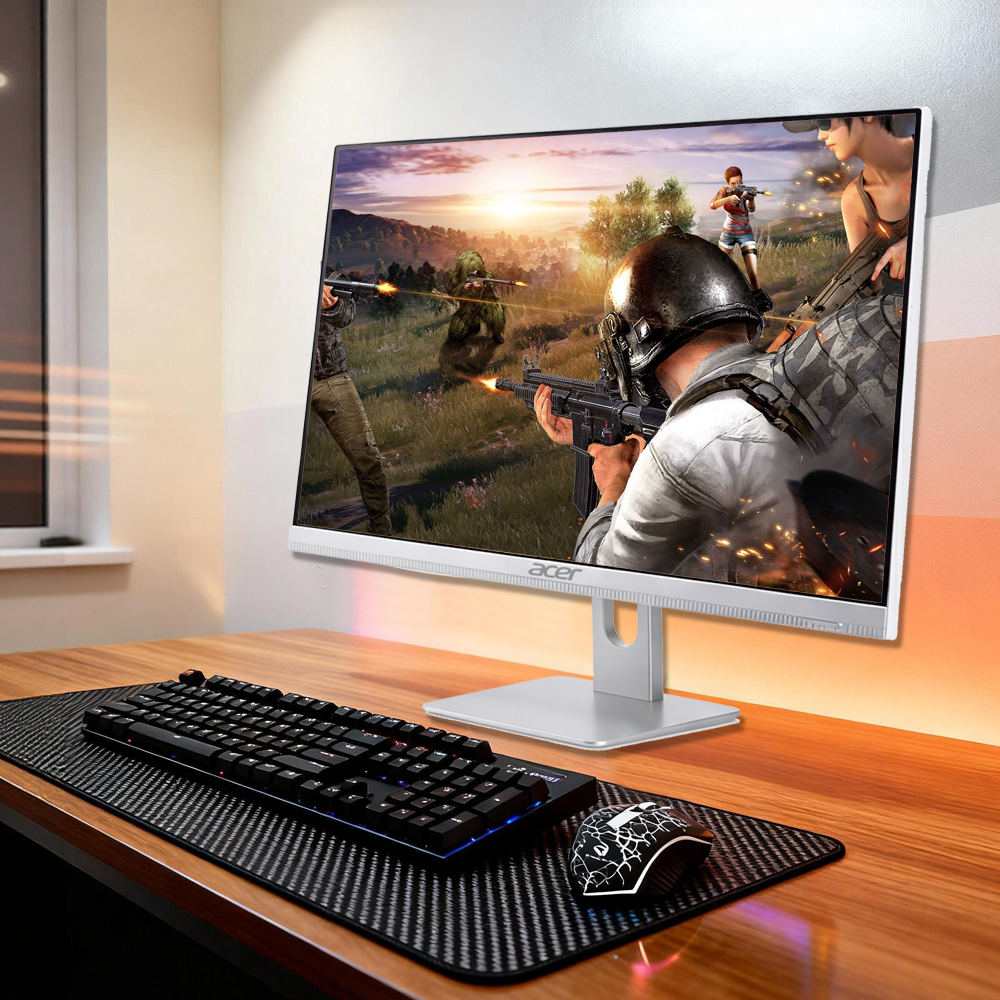
Reka bentuk ruang kerja moden menuntut penyelesaian yang lebih bijak, yang mengimbangkan fungsi dengan estetika. Komputer meja semua-dalam-satu telah menjadi alat bertransformasi bagi profesional yang ingin mengoptimumkan persekitaran pejabat mereka tanpa mengorbankan prestasi atau daya tarikan visual. Berbeza daripada susunan menara tradisional yang mengambil ruang meja yang berharga, komputer meja semua-dalam-satu menggabungkan kuasa pemprosesan, paparan, dan sambungan ke dalam satu bentuk faktor yang bersatu dan elegan. Peralihan ini mewakili perubahan asas dalam cara organisasi merancang ruang kerja dan meningkatkan produktiviti pekerja.
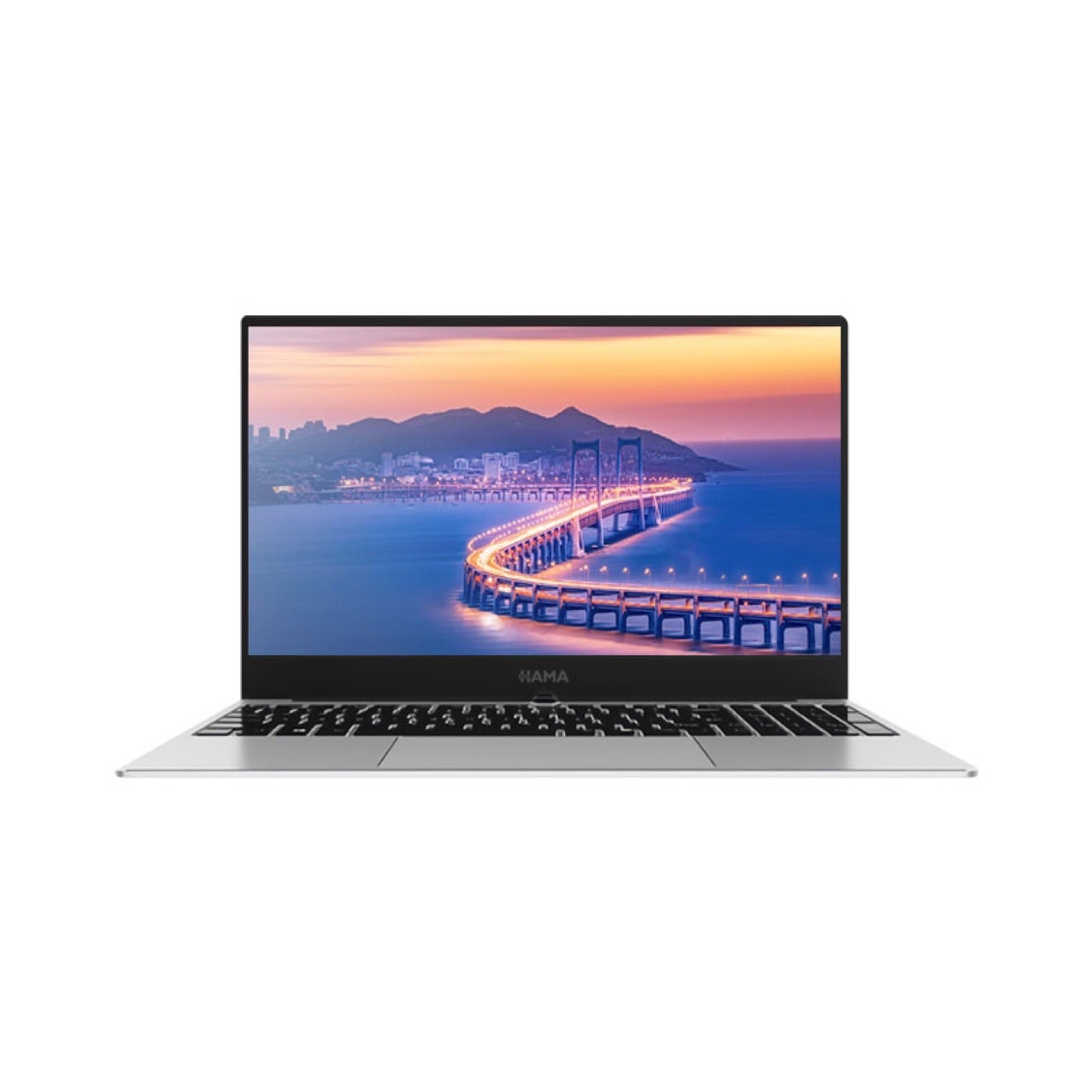
Penggabungan komputer meja semua-dalam-satu ke dalam strategi rekabentuk ruang kerja menangani pelbagai cabaran organisasi secara serentak. Dengan menghilangkan kesemrawutan kabel, mengurangkan jejak fizikal, dan meningkatkan keselarasan visual ruang kerja, teknologi ini membolehkan pereka dan pengurus mencipta persekitaran yang mendorong kedua-dua kecekapan dan kepuasan pekerja. Penempatan strategik komputer meja semua-dalam-satu mengubah cara pasukan berkolaborasi, berinteraksi dengan teknologi, dan memanfaatkan keluasan pejabat yang tersedia di pasaran hartanah yang semakin kompetitif.
Pengoptimuman Ruang Melalui Rekabentuk Terpadu
Mengurangkan Jejak Fizikal di Pejabat Moden
Komputer meja semua-dalam-satu menghilangkan keperluan untuk unit menara berasingan, monitor, dan komponen luaran yang secara tradisinya mencerai-beraikan susun atur ruang kerja. Dengan menggabungkan elemen-elemen ini ke dalam satu peranti yang licin dan padat, organisasi dapat memulihkan ruang meja yang besar untuk kerja kolaboratif, projek kreatif, atau barang-barang selesa peribadi yang meningkatkan pengalaman pekerja. Kecekapan ruang ini menjadi lebih bernilai di pejabat bercadang terbuka di mana kos hartanah tinggi dan ketumpatan ruang kerja semakin meningkat. Reka bentuk ringkas komputer meja semua-dalam-satu membolehkan pengurus kemudahan menyusun stesen kerja yang terasa luas bukan sempit, secara langsung meningkatkan suasana tempat kerja dan keselesaan psikologi.
Pengurusan Kabel dan Kebersihan Visual
Pertambahan kabel merupakan salah satu cabaran estetik dan fungsional paling ketara dalam reka bentuk ruang kerja tradisional. Komputer meja jenis all-in-one secara ketara mengurangkan keperluan kabel kerana monitor, unit komputer, dan pembesar suara sudah terbina dalam satu rangka tunggal. Pendekatan bersepadu ini bermaksud lebih sedikit kabel bekalan kuasa, kabel video, dan penyambung luar yang mengisi meja kerja serta mencipta risiko keselamatan. Apabila komputer meja jenis all-in-one dipasang pada kedudukan yang betul, jumlah kabel yang diperlukan menjadi minimum dan boleh diarahkan secara terselindung di belakang peranti atau melalui saluran pengurusan kabel, menghasilkan rupa yang kemas dan profesional yang mencerminkan piawaian organisasi dan profesionalisme pekerja.
Integrasi Estetik dan Impak Profesional
Identiti Visual Ruang Kerja yang Koheren
Reka bentuk ruang kerja semakin mempengaruhi cara pelanggan, rakan kongsi dan pekerja menilai kualiti serta inovasi organisasi. Komputer meja jenis all-in-one menyumbang kepada estetika kontemporari dan bersatu yang menunjukkan kemahiran teknologi serta pengurusan yang progresif. Reka bentuk bezel bersatu dan paparan terpadu pada komputer meja all-in-one mencipta rupa minimalis yang selaras dengan tren perabot dan hiasan pejabat moden. Berbeza daripada susunan terpisah yang menggunakan monitor dan unit sistem yang tidak serasi, komputer meja all-in-one muncul sebagai elemen reka bentuk yang koheren dan sengaja, bukan sekadar himpunan komponen teknikal yang berasingan. Konsistensi estetika ini amat penting di kawasan yang berhadapan langsung dengan pelanggan, di mana reka bentuk ruang kerja secara langsung mempengaruhi kesan perniagaan serta komunikasi nilai organisasi.
Kefleksibelan dalam Konfigurasi Ruang Kerja
Komputer meja semua-dalam-satu membolehkan konfigurasi ruang kerja yang fleksibel untuk menyesuaikan pelbagai mod kerja dan keperluan organisasi. Profilnya yang ringkas membolehkan susunan meja yang kreatif, integrasi meja berdiri, dan susunan pelbagai monitor—yang mustahil dilaksanakan dengan konfigurasi menara tradisional. Apabila komputer meja semua-dalam-satu berfungsi sebagai stesen kerja utama, pereka boleh melaksanakan konsep ruang kerja bersama di mana pekerja berpindah secara lebih lancar antara kawasan khusus dan kawasan kolaboratif. Kelenturan ini bermakna komputer meja semua-dalam-satu menyokong model kerja berdasarkan aktiviti, di mana ruang diperuntukkan secara dinamik mengikut keperluan tugas—bukan berdasarkan penugasan individu tetap—sekaligus mengoptimumkan penggunaan kemudahan secara keseluruhan dan mobiliti pekerja.
Kecemerlangan Prestasi dan Peningkatan Produktiviti
Kuasa Pemprosesan Tanpa Kompromi
Model-model komputer meja semua-dalam-satu moden memberikan prestasi pengiraan yang setara atau melebihi konfigurasi komputer meja tradisional. Anggapan bahawa komputer meja semua-dalam-satu mengorbankan kuasa demi faktor bentuk kini sudah lapuk; model terkini dilengkapi dengan pemproses berprestasi tinggi, kapasiti ingatan yang besar, dan penyelesaian storan pantas yang mampu mengendali aplikasi profesional yang mencabar. Komputer meja semua-dalam-satu boleh menjalankan penyuntingan video, pemodelan 3D, analisis data, dan tugas-tugas intensif sumber lain sambil mengekalkan kelebihan ruang reka bentuk terkamput. Dengan memilih komputer meja semua-dalam-satu yang mempunyai spesifikasi yang sesuai, organisasi memastikan pengoptimuman ruang kerja tidak pernah dikorbankan demi kemampuan teknikal atau produktiviti pekerja.
Keterhubungan Terkamput dan Kecekapan Aliran Kerja
Komputer meja semua-dalam-satu biasanya termasuk pembesar suara terpadu, mikrofon, kamera web, dan pelbagai port sambungan yang diletakkan untuk akses dan penggunaan yang mudah. Integrasi ini merampingkan alur kerja bagi persidangan video, penciptaan kandungan, dan kolaborasi multimedia tanpa memerlukan pembelian peranti tambahan atau penempatan ruang meja khas. Apabila komputer meja semua-dalam-satu dikonfigurasikan dengan piawaian sambungan moden seperti Thunderbolt, USB-C, dan rangkaian tanpa wayar, ia menyokong integrasi lancar dengan peranti mudah alih, storan luaran, dan platform kolaboratif. Sistem kamera dan mikrofon terbina dalam komputer meja semua-dalam-satu membolehkan penyertaan serta-merta dalam mesyuarat jarak jauh tanpa memerlukan pengguna membeli dan mengkonfigurasikan peranti tambahan secara berasingan, seterusnya mengurangkan kerumitan pengadaan dan jumlah kos kepemilikan bagi organisasi yang mengurus tenaga kerja bersebaran atau hibrid.
Soalan Lazim
Apakah kelebihan utama komputer meja semua-dalam-satu untuk ruang pejabat kecil?
Komputer meja serba dalam satu unit memaksimumkan ruang kerja yang boleh digunakan dalam persekitaran padat dengan menggabungkan semua komponen pengkomputeran ke dalam satu unit paparan. Di pejabat kecil di mana ruang meja mempunyai nilai tinggi, komputer meja serba dalam satu unit membebaskan kawasan permukaan yang besar untuk bahan kerja, barang kolaborasi, dan alat produktiviti peribadi. Reka bentuk terkamputernya menghilangkan jejak ruang menara tradisional, monitor berasingan, dan sistem pengurusan kabel, membolehkan pejabat kecil menampung lebih banyak stesen kerja atau menyediakan konfigurasi ruang kerja individu yang lebih selesa kepada pekerja.
Bagaimana komputer meja serba dalam satu unit menyokong persekitaran kerja hibrid moden?
Komputer meja semua-dalam-satu berfungsi sebagai hab yang berkesan untuk pasukan hibrid dengan menggabungkan keupayaan persidangan video, audio berkualiti tinggi, dan sambungan yang boleh dipercayai dalam satu peranti profesional. Sistem kamera dan mikrofon terbina dalam komputer meja semua-dalam-satu memastikan peserta jarak jauh mengalami kualiti audio-visual yang konsisten tanpa memerlukan peralatan sampingan khusus. Selain itu, komputer meja semua-dalam-satu mengambil ruang meja yang minimum apabila pekerja berpindah antara pejabat rumah dan lokasi korporat, menyokong kelenturan yang dimandatkan oleh model kerja hibrid moden.
Bolehkah komputer meja semua-dalam-satu menggantikan susunan komputer meja tradisional untuk kerja profesional yang mencabar?
Ya, saya akan. komputer riba semua-dalam-satu model dengan spesifikasi bertaraf tinggi boleh sepenuhnya menggantikan sistem berasaskan menara tradisional untuk aplikasi profesional termasuk pengeluaran video, rekabentuk grafik, dan analisis data. Konfigurasi komputer meja semua-dalam-satu moden dilengkapi pemproses berkuasa tinggi, RAM yang mencukupi, dan storan pantas yang menyamai atau melampaui prestasi stesen kerja tradisional. Organisasi perlu menilai spesifikasi komputer meja semua-dalam-satu berdasarkan keperluan aliran kerja khusus dan tuntutan perisian mereka, serta memastikan kuasa pemprosesan dan keupayaan grafik memenuhi piawaian profesional sebelum pelaksanaan.