 EN
EN
 AR
AR
 BG
BG
 HR
HR
 CS
CS
 DA
DA
 NL
NL
 FR
FR
 DE
DE
 EL
EL
 HI
HI
 IT
IT
 JA
JA
 KO
KO
 NO
NO
 PL
PL
 PT
PT
 RO
RO
 RU
RU
 ES
ES
 SV
SV
 TL
TL
 IW
IW
 ID
ID
 SR
SR
 SK
SK
 VI
VI
 HU
HU
 TH
TH
 TR
TR
 FA
FA
 AF
AF
 MS
MS
 SW
SW
 UR
UR
 BN
BN
 HA
HA
 KM
KM
 MN
MN
 UZ
UZ

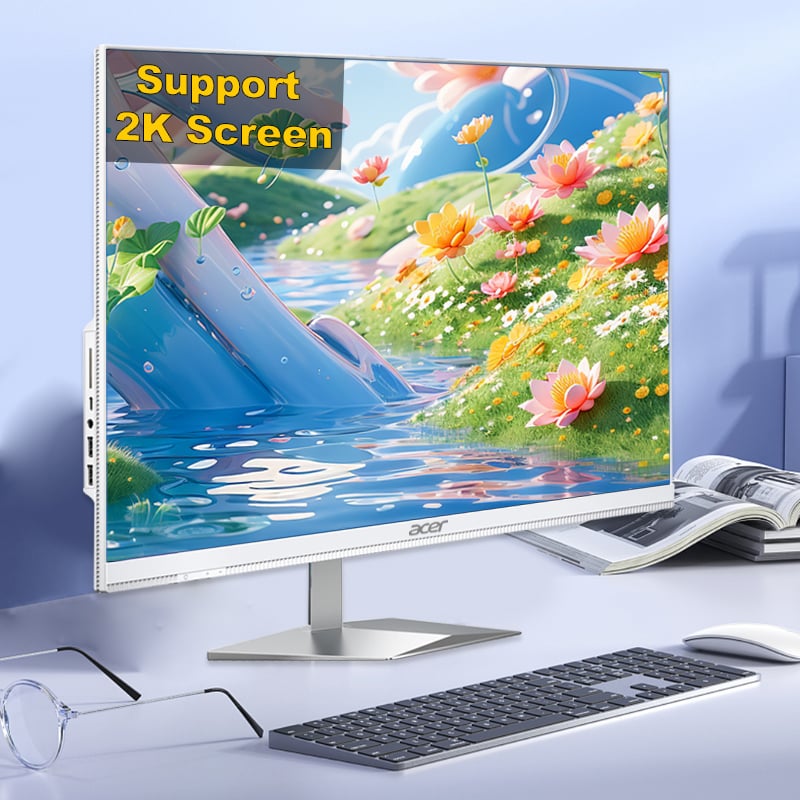
A barebone mini PC is engineered from the ground up to offer flexibility without the bulk of a traditional desktop tower. In industrial, commercial, and office environments alike, the barebone mini PC has become a go-to platform precisely because it ships as an open framework — a chassis with a motherboard, power supply, and cooling system already integrated, while leaving memory, storage, and sometimes even the processor open for user selection. This architecture is not accidental; it is a deliberate design philosophy that makes the barebone mini PC one of the most adaptable computing platforms available today.

Understanding how a barebone mini PC supports flexible hardware configuration requires looking at both its internal design and its deployment context. Whether a business needs to standardize a fleet of workstations, build a custom edge-computing node, or simply future-proof an investment, the barebone mini PC delivers a structured openness that full-system computers simply cannot match. This article examines the core mechanisms that make barebone mini PC hardware flexibility possible and why that flexibility translates into real-world business value.
The Open-Framework Architecture of a Barebone Mini PC
What Ships and What Does Not
Every barebone mini PC arrives with a carefully selected set of pre-installed components. The chassis provides structural integrity, the motherboard defines the platform's capabilities, and the integrated cooling system manages thermal output. What the barebone mini PC intentionally omits are the components that vary most by use case: RAM modules, storage drives, and in some configurations, the processor itself. This selective omission is what gives the barebone mini PC its configurability advantage.
Because the barebone mini PC motherboard exposes standard slots — such as DDR4 or DDR5 SO-DIMM sockets and M.2 NVMe lanes — buyers can source and install exactly the memory capacity and storage speed their workload demands. A digital signage deployment may need only 8 GB of RAM and a 128 GB SSD, while a video editing workstation built on the same barebone mini PC platform might require 64 GB of RAM and a 2 TB NVMe drive. The hardware framework accommodates both scenarios without changing the base unit.
Motherboard and Chipset Selection as a Configuration Layer
Many barebone mini PC product lines offer multiple motherboard variants within the same chassis footprint. This means a buyer can choose a barebone mini PC with an entry-level integrated processor for light office tasks or select a higher-tier barebone mini PC variant with a more powerful chip for compute-intensive roles. The external dimensions remain identical, which simplifies rack placement, desk mounting, and logistics planning for large-scale deployments.
The chipset on a barebone mini PC also determines peripheral support: the number of USB ports, display outputs, PCIe lanes for expansion cards, and network interface options. Selecting the right barebone mini PC motherboard variant at the outset is therefore a foundational configuration decision that shapes everything downstream.
Upgrade Pathways That Keep a Barebone Mini PC Relevant
Memory and Storage Scalability
One of the most practical ways a barebone mini PC supports flexible hardware configuration is through post-purchase upgrades. Because RAM and storage are user-accessible in nearly every barebone mini PC design, an organization can start with a minimal configuration and scale up as workloads grow. This staged investment approach reduces upfront capital expenditure while preserving the option to expand capacity later without replacing the entire system.
Storage flexibility on a barebone mini PC often extends beyond a single M.2 slot. Many models include dual M.2 slots, a 2.5-inch SATA bay, or both, allowing administrators to combine a fast NVMe boot drive with a high-capacity SATA drive for data storage. This multi-drive capability makes the barebone mini PC a viable platform even for data-intensive edge applications where local storage matters.
Connectivity Expansion Through Interfaces
A barebone mini PC frequently includes Thunderbolt or USB4 ports that support external expansion docks, GPU enclosures, and high-speed capture cards. This means the barebone mini PC does not have to be limited by its internal physical volume. External peripherals connected through high-bandwidth interfaces effectively extend the hardware configuration of the barebone mini PC beyond what the chassis alone could accommodate.
Some barebone mini PC models also include an M.2 E-key slot or a half-height PCIe slot, enabling the addition of wireless communication modules, additional LAN cards, or specialized interface cards. For industrial and retail deployments, this kind of connectivity expansion is not a luxury — it is a core operational requirement that the barebone mini PC platform is well-positioned to meet.
Deployment Scenarios Where Barebone Mini PC Flexibility Shines
Enterprise Standardization With Role-Based Configuration
Large organizations often need to deploy hundreds of computing endpoints with slightly different specifications across departments. The barebone mini PC makes this practical by establishing a single hardware platform that IT teams configure differently by role. Finance workstations running on a barebone mini PC might receive 16 GB of RAM and encrypted NVMe storage, while reception kiosks using the same barebone mini PC chassis get 8 GB of RAM and a smaller solid-state drive. The standardized outer form factor simplifies warranty management, spare parts inventory, and technician training.
This role-based configuration approach, enabled by the barebone mini PC architecture, reduces the number of distinct hardware SKUs an organization must track. Instead of managing ten different computer models, an IT department can manage one barebone mini PC platform with role-specific component sets — a significant operational simplification.
Edge Computing and Industrial Deployment Readiness
In edge computing scenarios, the barebone mini PC is valued for its compact footprint, low power consumption, and configurable I/O. A factory automation node built on a barebone mini PC can be equipped with industrial-grade storage rated for high write endurance, a specialized communication card for fieldbus protocols, and extended-temperature memory modules — all within the same barebone mini PC enclosure. This level of hardware specificity, achievable through configuration rather than custom engineering, makes the barebone mini PC a cost-effective alternative to purpose-built industrial computers in many applications.
FAQ
Can I install any RAM in a barebone mini PC?
Most barebone mini PC models support standard SO-DIMM DDR4 or DDR5 modules, but compatibility depends on the specific motherboard's maximum supported capacity and speed. Always verify the barebone mini PC documentation before purchasing RAM to ensure the modules meet the platform's specifications.
Is a barebone mini PC suitable for gaming or GPU-intensive tasks?
A barebone mini PC with a high-performance processor and Thunderbolt connectivity can support external GPU enclosures, making it capable of GPU-intensive workloads in professional contexts. However, the compact thermal envelope of a barebone mini PC may limit sustained GPU performance compared to a full-tower workstation designed specifically for that purpose.
How does a barebone mini PC differ from a standard mini PC?
A standard mini PC ships as a complete, pre-configured system with RAM, storage, and an operating system already installed. A barebone mini PC ships without some or all of those components, giving buyers the freedom to select and install their own hardware. This distinction makes the barebone mini PC significantly more adaptable for specialized or large-scale deployment scenarios.