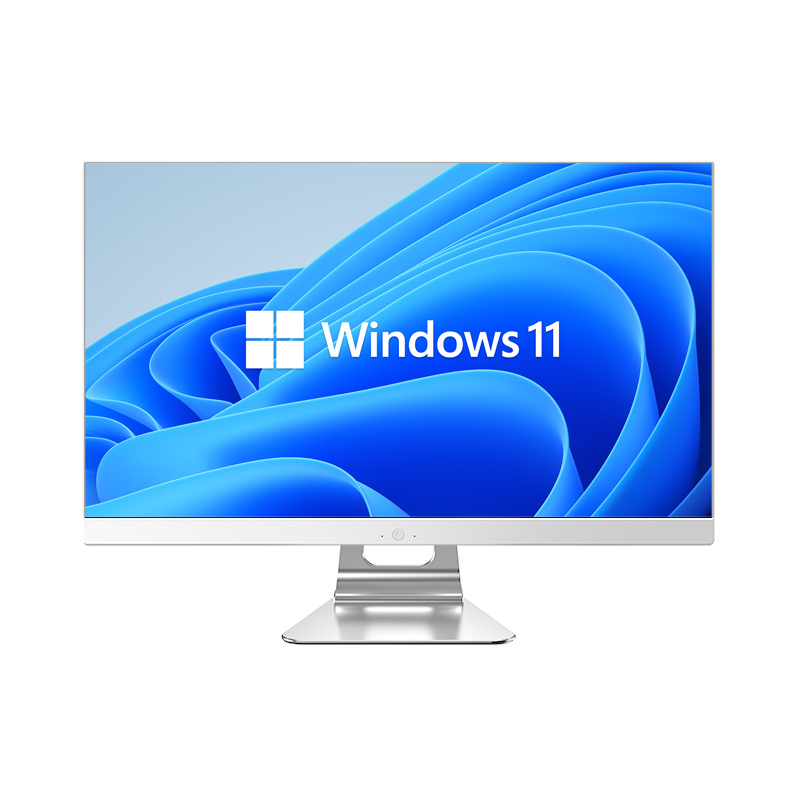
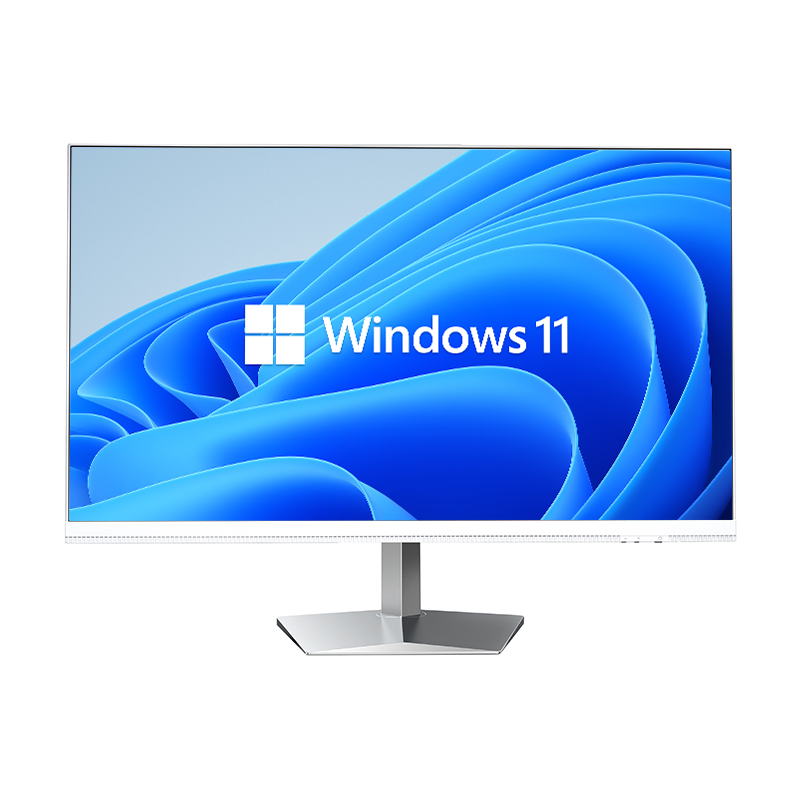
Modern businesses are constantly searching for smarter, more efficient ways to equip their workforce without inflating operational costs or cluttering office spaces. The mini PC computer has emerged as one of the most practical solutions for companies looking to standardize their device infrastructure while keeping deployment and management overhead to a minimum. Unlike traditional desktop towers, a mini PC computer delivers full computing capability in a compact form factor that integrates seamlessly into virtually any office environment, from open-plan workstations to executive suites and conference rooms.
As organizations grow and their device fleets expand, the challenge of managing, securing, and maintaining each endpoint becomes increasingly complex. A mini PC computer addresses this challenge not only through its hardware efficiency but also through the way it simplifies IT workflows, remote administration, and lifecycle management. Understanding how businesses leverage the mini PC computer across these dimensions is essential for any IT decision-maker evaluating their next infrastructure refresh.
One of the primary management advantages of deploying a mini PC computer across an office is the ability to centralize the entire endpoint provisioning process. Because these devices share a standardized hardware platform, IT teams can create a single system image and push it across dozens or even hundreds of units simultaneously using tools such as Windows Deployment Services or third-party imaging platforms. This dramatically reduces the time and labor required to bring a new device online, whether it is replacing a failed unit or equipping a newly hired employee.
A mini PC computer typically ships with a consistent set of hardware specifications, which means IT administrators do not need to manage a chaotic mix of driver packages and compatibility workarounds. When every device in the fleet runs on an identical or near-identical hardware profile, troubleshooting becomes far more predictable. Technicians can resolve issues faster because they already understand the device architecture intimately, reducing downtime and support ticket resolution time across the board.
Standardization also simplifies procurement and spare-parts management. When a business commits to a specific mini PC computer model, it can maintain a small inventory of replacement units, knowing that any spare can substitute for any active device in the fleet. This kind of interchangeability is far harder to achieve when a company relies on a heterogeneous mix of laptop and desktop configurations that differ between departments or purchase cycles.
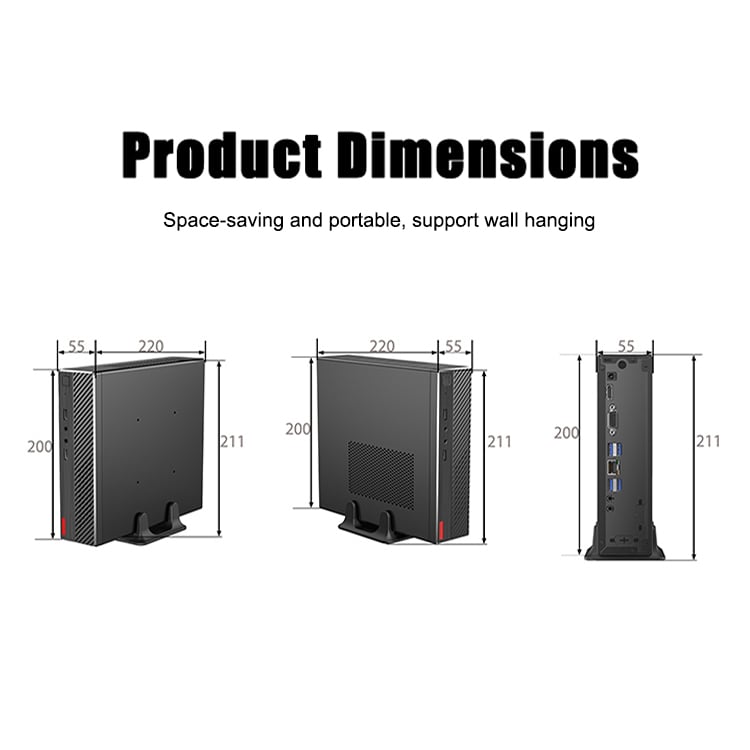
Physical management of office devices is an often-overlooked aspect of enterprise IT, but it has a measurable impact on workspace organization and productivity. A mini PC computer typically weighs under one kilogram and occupies a fraction of the desk space required by a conventional tower. This allows IT teams to mount devices directly behind monitors using VESA brackets, freeing up desk surfaces and reducing cable clutter in ways that larger form-factor machines simply cannot match.
From a facilities management perspective, the compact nature of the mini PC computer also simplifies cabling infrastructure. With fewer cables running across floors and workstations, the risk of accidental disconnection is reduced, and routine cleaning or workspace reconfiguration becomes far less disruptive. Businesses that operate hotdesking environments or flexible seating arrangements find that a mini PC computer can be reassigned, relocated, or redeployed within minutes rather than hours.
In high-density office environments such as call centers or trading floors, where dozens of workstations share a confined footprint, the space savings delivered by a mini PC computer translate directly into lower real estate costs per seat. This physical compactness is not merely aesthetic; it is a genuine operational advantage that compounds as the number of deployed devices increases.
A modern mini PC computer is built to integrate with enterprise-grade Remote Monitoring and Management, or RMM, platforms that allow IT administrators to oversee the entire device fleet from a single dashboard. Through these platforms, technicians can push software updates, deploy security patches, monitor system health metrics, and even execute remote sessions on individual devices without ever needing to be physically present at the workstation. This capability is especially valuable for businesses with distributed teams, multiple office locations, or employees working in hybrid arrangements.
Because a mini PC computer runs a full desktop operating system, it supports the same management protocols used for traditional endpoints, including Windows Management Instrumentation, Group Policy Objects, and mobile device management frameworks that have been extended to cover fixed-location PCs. This means that IT teams do not need to invest in specialized tooling or training simply because they have transitioned to a smaller form factor. The mini PC computer fits naturally into existing management ecosystems.
Wake-on-LAN support is another feature found in most commercial mini PC computer designs, enabling administrators to power on dormant devices remotely to run scheduled maintenance tasks, backups, or updates outside of business hours. This reduces the operational interruption that would otherwise occur if updates were pushed during peak productivity windows, and it ensures that every device remains current with minimal user involvement.
Security management is one of the most critical responsibilities facing enterprise IT teams, and the mini PC computer simplifies this responsibility in several important ways. Because these devices typically ship with support for hardware-level security features such as TPM 2.0, Secure Boot, and Intel vPro or equivalent management engine technologies, businesses can enforce strong authentication and encryption policies at the firmware level rather than relying solely on software controls.
When a business deploys a uniform fleet of mini PC computer units, it can apply consistent Group Policy configurations across every endpoint, ensuring that USB port restrictions, screen lock timers, firewall rules, and software whitelisting policies are enforced identically regardless of which workstation an employee uses. This uniformity is difficult to achieve in environments where device models vary widely, because different hardware may respond differently to the same policy settings.
In the event of a security incident, the ability to remotely wipe or lock a mini PC computer through an endpoint management platform provides a critical last line of defense. Whether a device is lost, stolen, or compromised by malware, IT administrators can isolate it from the network and initiate remediation procedures without requiring physical access. This remote response capability is an important component of any modern business continuity and incident response plan.
Managing the full lifecycle of office computing devices requires robust asset tracking, and the mini PC computer makes this process considerably more manageable for IT and finance teams alike. Each unit can be enrolled in an asset management system at the point of deployment, with its hardware serial number, assigned user, location, and configuration documented in a central inventory. This creates a complete audit trail that supports compliance reporting under frameworks such as ISO 27001, SOC 2, or GDPR-related data handling requirements.
Software license auditing is another area where a standardized mini PC computer fleet simplifies compliance. When every device runs the same base image and receives updates through the same management channel, IT administrators can accurately account for every software installation across the organization. This prevents license over-provisioning and helps businesses avoid the costly penalties associated with unintentional software compliance violations during vendor audits.
Energy consumption tracking is increasingly important for businesses with sustainability reporting obligations. A mini PC computer consumes significantly less power than a comparable desktop tower, and when this lower consumption is multiplied across a large fleet, the cumulative energy savings become a meaningful data point for corporate environmental, social, and governance reporting. IT asset management platforms can record power usage metrics from each mini PC computer, giving sustainability officers the data they need to quantify the organization's hardware-related carbon footprint reduction.
Planning device refresh cycles is a fundamental aspect of IT asset lifecycle management, and the compact, standardized nature of the mini PC computer makes this planning exercise far more predictable. Because the hardware platform is consistent across the fleet, IT teams can apply a single refresh cadence rather than managing different timelines for different device categories. When a cohort of mini PC computer units reaches the end of its supported lifecycle, the replacement process is streamlined because incoming devices share the same image and configuration profile.
End-of-life handling is also simplified by the physical characteristics of the mini PC computer. The small size and low weight of each unit reduce the logistical complexity of collecting and transporting decommissioned devices to certified recycling or data destruction facilities. Some organizations use the compact form factor to repurpose older mini PC computer units for less demanding roles, such as digital signage players, kiosk terminals, or meeting room control hubs, extending the useful life of hardware assets and deferring replacement costs.
For standard office workstations used by administrative, finance, human resources, and sales teams, the mini PC computer delivers more than adequate performance for productivity suites, video conferencing, cloud-based applications, and document management platforms. IT administrators can configure each unit with a role-specific software package and deploy it to the relevant department with minimal customization effort. The result is a clean, efficient workspace that is straightforward to support and replace when necessary.
The mini PC computer also performs exceptionally well in meeting room and conference room environments, where it can be paired with a large-format display to serve as a dedicated presentation and video conferencing terminal. A single mini PC computer installed behind the room's main screen can run all necessary conferencing software, connect to the room's camera and microphone peripherals, and be managed remotely by the IT team without anyone needing to physically access the device between meetings.
Beyond the conventional office environment, the mini PC computer finds application in sectors where device management complexity is especially high. In retail environments, these devices can power point-of-sale terminals, digital signage, and inventory management workstations, all from the same hardware platform managed through a unified endpoint management solution. The ability to update pricing displays, promotional content, or transaction software remotely across multiple locations saves significant time and travel costs for IT support teams.
In healthcare settings, the mini PC computer can be mounted in patient rooms, nursing stations, and administrative areas while being managed under strict security and compliance policies from a central IT department. Its small footprint and VESA mounting compatibility make it easy to integrate into clinical environments where surface space is at a premium. Similarly, educational institutions deploying computer labs or classroom workstations benefit from the low acquisition cost, long operational lifespan, and centralized management capabilities that the mini PC computer provides.
In each of these scenarios, the common thread is the ability to deploy and manage large numbers of mini PC computer units through consistent, scalable IT workflows. The device's combination of full computing capability, compact hardware design, and compatibility with enterprise management tooling makes it a genuinely versatile platform for businesses that need to govern their endpoint fleet efficiently.
A mini PC computer runs a full desktop operating system such as Windows or Linux, which means it is natively compatible with enterprise management platforms including Microsoft Endpoint Configuration Manager, Intune, and third-party RMM tools. IT administrators can enroll each device in the management platform during the initial setup process, after which all policy enforcement, software deployment, and monitoring activities can be handled remotely without any additional configuration on the device itself.
For the vast majority of business applications, including productivity suites, video conferencing, web-based platforms, ERP systems, and document management tools, a current-generation mini PC computer offers entirely sufficient performance. Modern mini PC computer units are available with multi-core processors, up to 32GB or more of RAM, and fast NVMe storage, enabling smooth multitasking even under moderate to heavy workloads. For highly specialized tasks such as 3D rendering or large-scale data processing, businesses should evaluate the specific hardware specifications of the mini PC computer model against their application requirements.
Replacing a failed unit in a standardized mini PC computer fleet is typically straightforward. Because all devices share the same hardware platform and system image, a spare unit can be imaged and deployed in a fraction of the time required to set up a heterogeneous device. If the business maintains a small inventory of pre-imaged spare units, a replacement mini PC computer can often be operational within the same business day, minimizing disruption to the affected employee.
Businesses should prioritize models that include hardware-level security capabilities such as TPM 2.0 for encryption key management, Secure Boot to prevent unauthorized firmware execution, and support for Intel vPro or equivalent remote management technologies. Kensington lock slots and the option to disable external ports through BIOS settings are also valuable for physically securing the mini PC computer in shared or public-facing environments. Ensuring that the chosen mini PC computer model receives regular firmware and security updates from its manufacturer is equally important for maintaining long-term endpoint security posture.
 EN
EN
 AR
AR
 BG
BG
 HR
HR
 CS
CS
 DA
DA
 NL
NL
 FR
FR
 DE
DE
 EL
EL
 HI
HI
 IT
IT
 JA
JA
 KO
KO
 NO
NO
 PL
PL
 PT
PT
 RO
RO
 RU
RU
 ES
ES
 SV
SV
 TL
TL
 IW
IW
 ID
ID
 SR
SR
 SK
SK
 VI
VI
 HU
HU
 TH
TH
 TR
TR
 FA
FA
 AF
AF
 MS
MS
 SW
SW
 UR
UR
 BN
BN
 HA
HA
 KM
KM
 MN
MN
 UZ
UZ