Modern IT teams face increasing pressure to streamline device management across enterprise environments while maintaining security standards and operational efficiency. The complexity of managing numerous office devices has led many organizations to seek centralized solutions that can reduce administrative overhead and improve control over their technology infrastructure.
An AIO computer serves as a powerful central hub for IT teams managing diverse office devices, offering integrated capabilities that transform how administrators handle everything from network endpoints to peripheral equipment. This comprehensive approach allows IT departments to establish unified control systems that significantly reduce complexity while enhancing monitoring and maintenance capabilities across their entire device ecosystem.
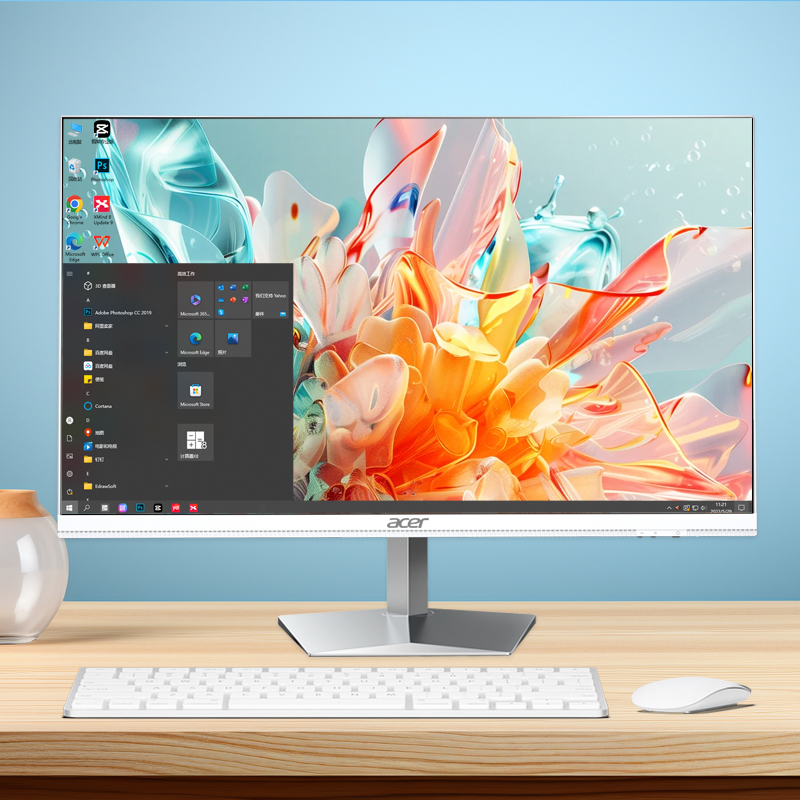
IT teams leverage an AIO computer as the foundation for centralized device management by establishing it as the primary control node within their network infrastructure. This configuration allows administrators to deploy management software and monitoring tools directly on the AIO computer, creating a single point of control for all connected office devices including printers, scanners, IP cameras, and networking equipment.
The integrated nature of an AIO computer provides IT teams with consolidated processing power and storage capacity needed to run multiple management applications simultaneously. Teams can install device discovery tools, network monitoring software, and remote management platforms on the same system, eliminating the need for separate servers or dedicated management workstations.
Configuration management becomes significantly more efficient when IT teams use an AIO computer to maintain device profiles and deployment templates. The system can store standardized configurations for different device types and automatically apply these settings when new equipment is added to the network, ensuring consistency across the entire office environment.
An AIO computer enables IT teams to implement sophisticated network segmentation strategies that enhance both security and management capabilities. By connecting the AIO computer to multiple network segments, administrators can manage devices across different VLANs while maintaining appropriate isolation between critical systems and general office equipment.
The built-in networking capabilities of an AIO computer allow IT teams to establish redundant connections and failover mechanisms for critical device management functions. This ensures that essential office devices remain accessible and manageable even during network disruptions or maintenance windows.
IT teams utilize the AIO computer to run network management protocols such as SNMP, WMI, and SSH for comprehensive device monitoring and control. These protocols enable automated discovery of new devices, real-time status monitoring, and remote configuration changes without requiring physical access to individual equipment.
IT teams implement comprehensive monitoring dashboards on an AIO computer to track the operational status of all office devices in real-time. The system continuously polls connected equipment for health indicators, performance metrics, and error conditions, providing administrators with immediate visibility into potential issues before they impact productivity.
The processing power of an AIO computer enables IT teams to run complex monitoring algorithms that can detect patterns and anomalies across multiple devices simultaneously. This capability allows for predictive maintenance scheduling and proactive replacement of components before failures occur, reducing unexpected downtime and emergency repair costs.
Alert systems configured on the AIO computer automatically notify IT teams when devices require attention, whether due to low consumables, error conditions, or performance degradation. These notifications can be customized based on device criticality and business impact, ensuring that the most important issues receive priority attention.
An AIO computer serves as the scheduling engine for automated maintenance tasks across all managed office devices. IT teams can configure the system to perform routine maintenance operations such as firmware updates, configuration backups, and performance optimization during off-hours to minimize disruption to business operations.
The unified interface provided by an AIO computer allows IT teams to coordinate maintenance activities across multiple device types and vendors from a single console. This coordination capability ensures that interdependent systems are updated in the correct sequence and that compatibility issues are identified and resolved before implementation.
Maintenance history and compliance tracking become streamlined when IT teams use an AIO computer to document all performed activities. The system maintains detailed logs of updates, configuration changes, and repair activities, supporting audit requirements and helping teams identify recurring issues that may indicate underlying problems.
IT teams implement centralized authentication mechanisms through an AIO computer to control access to all managed office devices. By integrating with Active Directory or other identity management systems, the AIO computer can enforce consistent access policies across printers, scanners, network equipment, and other connected devices.
The security capabilities of an AIO computer enable IT teams to implement role-based access control for device management functions. Administrators can define specific permissions for different user groups, ensuring that only authorized personnel can modify critical device configurations or access sensitive management functions.
Certificate management becomes more efficient when IT teams use an AIO computer to distribute and maintain security certificates for all office devices. The system can automatically renew expiring certificates and deploy updated security credentials to ensure continuous secure communication between devices and management systems.
An AIO computer provides IT teams with comprehensive compliance monitoring capabilities by continuously auditing device configurations against established security policies. The system can automatically detect unauthorized changes, identify devices with outdated security settings, and generate reports documenting compliance status across the entire office environment.
Vulnerability assessment tools running on an AIO computer enable IT teams to regularly scan all managed devices for security weaknesses and missing patches. This proactive approach to security management helps organizations maintain strong security postures and respond quickly to emerging threats.
The reporting capabilities of an AIO computer support IT teams in generating detailed compliance documentation required for industry regulations and internal audits. Automated report generation ensures that compliance status is always current and that required documentation is readily available for review.
IT teams utilize an AIO computer to run automated device discovery tools that continuously scan the network for new office equipment and maintain accurate inventory records. This capability ensures that all devices are properly cataloged and included in management processes without requiring manual intervention from administrators.
The comprehensive scanning capabilities of an AIO computer enable IT teams to identify device specifications, installed software versions, and hardware configurations automatically. This information is stored in centralized databases that support asset tracking, warranty management, and replacement planning activities.
Integration with enterprise asset management systems allows IT teams to use an AIO computer as a bridge between technical device information and business asset records. This integration ensures that financial tracking, depreciation calculations, and procurement planning are based on accurate technical data.
An AIO computer serves as the central platform for managing the complete lifecycle of office devices from initial deployment through eventual replacement. IT teams can track usage patterns, maintenance costs, and performance trends to make informed decisions about device refresh cycles and technology upgrades.
The analytical capabilities of an AIO computer enable IT teams to generate detailed reports on device utilization and cost per page for printers, scan volumes for document management systems, and usage patterns for specialized equipment. This data supports budget planning and helps justify technology investments to organizational leadership.
Retirement planning becomes more systematic when IT teams use an AIO computer to track device age, warranty status, and replacement schedules. The system can generate alerts when devices approach end-of-life status and coordinate replacement activities to ensure continuous operational capability.
An AIO computer can manage virtually any network-connected office device including multifunction printers, scanners, IP cameras, access control systems, VoIP phones, network switches, wireless access points, and specialized equipment like badge printers or label makers. The key requirement is that devices support standard management protocols such as SNMP, HTTP, or manufacturer-specific APIs that allow remote monitoring and configuration.
An AIO computer reduces IT management overhead by consolidating multiple management tools and processes onto a single platform, eliminating the need for separate servers or workstations for different device types. This consolidation reduces hardware costs, simplifies software licensing, and enables IT teams to manage all office devices from a unified interface, significantly reducing the time required for routine monitoring and maintenance tasks.
An AIO computer enhances security by serving as a centralized security enforcement point that can implement consistent access controls, monitor for unauthorized changes, and maintain security certificates across all managed devices. The system can automatically apply security updates, enforce password policies, and generate security compliance reports, helping organizations maintain strong security postures while reducing the risk of configuration errors or oversight.
Yes, an AIO computer can integrate with existing enterprise management systems through standard APIs, database connections, and industry-standard protocols. This integration capability allows IT teams to incorporate device management data into broader IT service management platforms, asset management systems, and business intelligence tools, creating a comprehensive view of technology infrastructure and its impact on business operations.
 EN
EN
 AR
AR
 BG
BG
 HR
HR
 CS
CS
 DA
DA
 NL
NL
 FR
FR
 DE
DE
 EL
EL
 HI
HI
 IT
IT
 JA
JA
 KO
KO
 NO
NO
 PL
PL
 PT
PT
 RO
RO
 RU
RU
 ES
ES
 SV
SV
 TL
TL
 IW
IW
 ID
ID
 SR
SR
 SK
SK
 VI
VI
 HU
HU
 TH
TH
 TR
TR
 FA
FA
 AF
AF
 MS
MS
 SW
SW
 UR
UR
 BN
BN
 HA
HA
 KM
KM
 MN
MN
 UZ
UZ