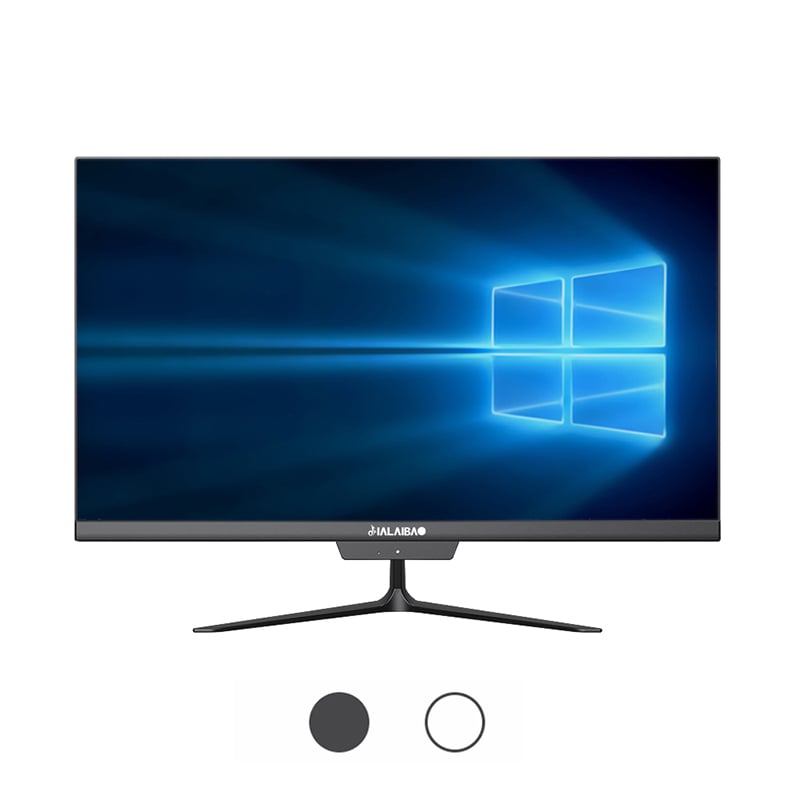
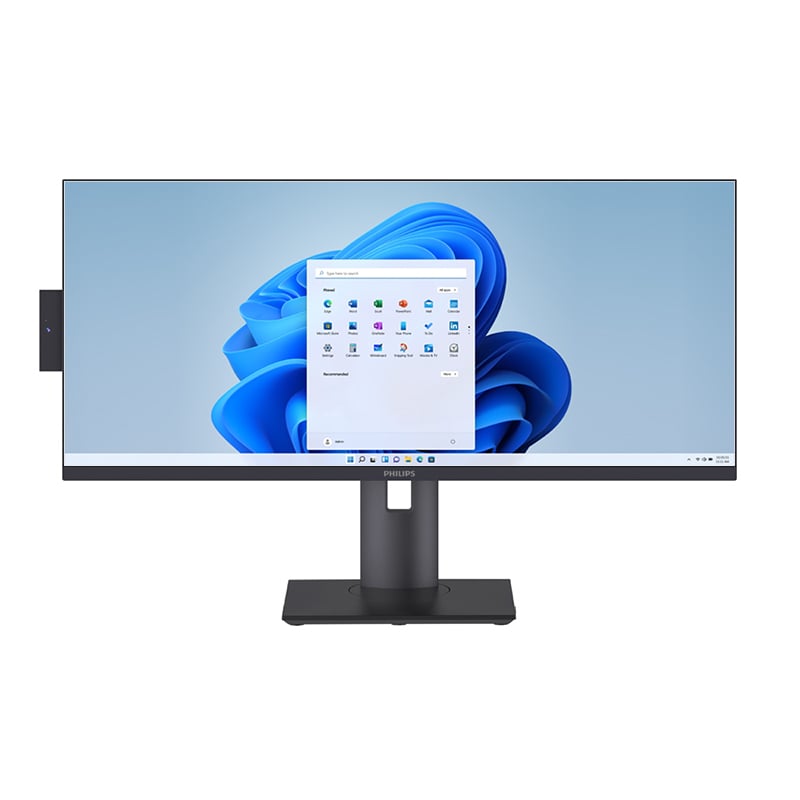
‘n Oorvol kantoorlessenaar is meer as ‘n estetiese probleem — dit beïnvloed direk die fokus, werksvloei-doeltreffendheid en die algemene gehalte van die werk wat gedurende die dag gelewer word. Vir besighede en professionele mense wat na ‘n praktiese oplossing soek, het die alles-in-een bedienskerm na vore getree as een van die mees doeltreffende nutsgoedere om werkruimte terug te wen en orde in die moderne kantooromgewing te herstel. Deur rekenaartegnologie in ‘n enkele, gestroomlynde eenheid te konsolideer, verwyder dit die warboel komponente wat tradisioneel waardevolle lessenaaroppervlakte inneem.
Om te verstaan hoe 'n alles-in-een lessenaarrekenaar organisasie verbeter, vereis dit om verby die voor die hand liggende vermindering in hardeware te kyk. Dit behels die ondersoek van hoe fisiese ruimte, kabelbestuur, werkvloei-struktuur en selfs werknemerpsigologie almal beïnvloed word deur die vormfaktor van die rekenaartoerusting wat op 'n lessenaar geplaas word. Hierdie artikel ondersoek die spesifieke maniere waarop 'n alles-in-een lessenaarrekenaar kantoorlessenaar-organisasie transformeer en hoekom daardie transformasie belangrik is vir produktiwiteit-georiënteerde besighede.
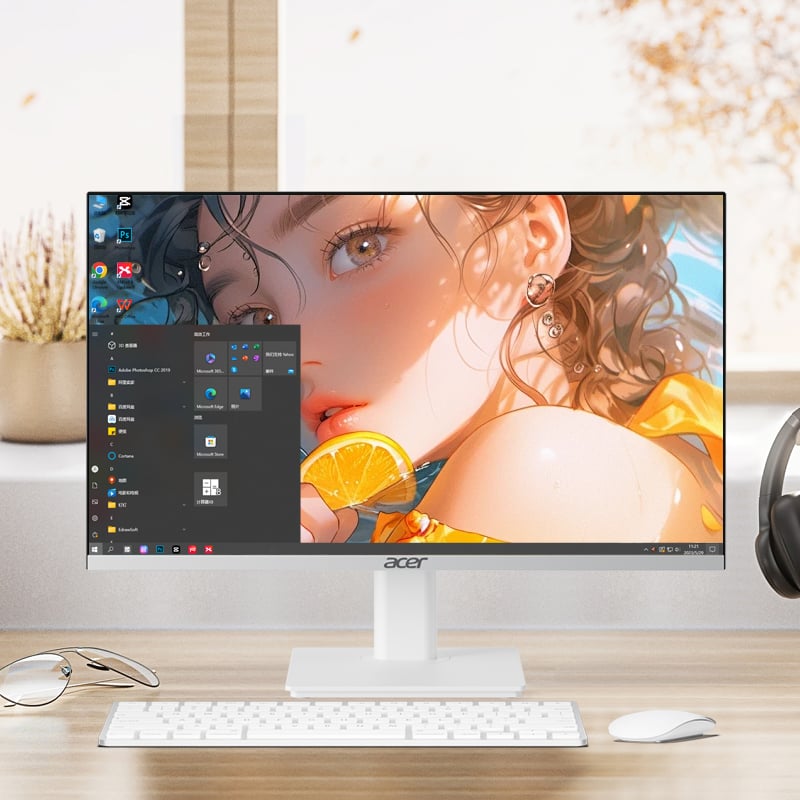
Tradisionele lessenaaropstellinge bestaan uit 'n afsonderlike torre-eenheid, monitor, sleutelbord, muis, speakers en dikwels 'n eksterne webkamera of mikrofoon. Elke van hierdie komponente beset sy eie ruimte op of rondom die lessenaar, en saam skep hulle 'n gefragmenteerde, ruimteverbruikende opstelling. 'n Al-in-een lessenaar integreer die prosessor, stoorgeheue, vertoon, speakers en kamera in een enkele behuising, wat onmiddellik die torre heeltemal uit die vergelyking verwyder.
Hierdie konsolidering is nie bloot kosmeties nie. Wanneer die torre verdwyn, word die vloerruim langs die lessenaar vrygestel, word die lessenaaroppervlak self aansienlik minder vol, en word die visuele wanorde van verskeie toestelle vervang deur een enkele, doelgerigte eenheid. Vir kantore waar lessenaarruimte beperk is — soos in oopplan-omgewings of klein werkstasies — is hierdie vermindering in fisiese voetspoor 'n betekenisvolle organisatoriese voordeel.
Die alles-in-een lessenaarverligting verminder ook die aantal kragadaptere en laaiblokke wat by elke werksplek benodig word. Minder kragbronne beteken minder items wat om uitlaatruimte kompeteer en minder voorwerpe wat die lessenaaroppervlak of die vloer onder dit verwar. Hierdie vereenvoudiging dra direk by tot 'n netjier, meer georganiseerde werkomgewing.
Wanneer 'n lessenaar deur hardeware oorheers word, bly daar min ruimte vir die dokumente, notasboeke en gereedskap wat kenniswerkers werklik gedurende hul dag nodig het. 'n Alles-in-een lessenaar beset 'n kompakte, gedefinieerde area van die lessenaar — gewoonlik net die voetstuk se afdruk — wat die omliggende oppervlak beskikbaar laat vir doelbewuste gebruik. Dit stel werknemers in staat om duidelike sones op hul lessenaars te vestig: byvoorbeeld 'n rekenaarsone, 'n skryfzone en 'n verwysingsone.
Doelbewuste werkomgewingontwerp het bewys dat dit beter taakbestuur ondersteun en kognitiewe las verminder. Wanneer elke item op 'n lessenaar 'n aangewese plek het en die rekenaartoerusting nie hierdie struktuur oorvul nie, vind werknemers dit makliker om organisasie gedurende die dag te handhaaf. Die alles-in-een lessenaarrekenaar tree as 'n ankerpunt op waarom 'n goed-georganiseerde lessenaar gebou kan word.
Kabelrommel is een van die aanhoudendste organisatoriese uitdagings in kantooromgewings. 'n Konvensionele lessenaaropstelling kan 'n beduidende aantal kabels genereer: kragkabels vir die torretjie en skerm, datakabels wat die torretjie met die skerm en toebehore verbind, USB-kabels vir insettoestelle en oudiokabels vir speakers. Die bestuur van hierdie web van bedrading vereis kabelbindings, bedradingkanale en voortdurende onderhoud soos wat toerusting bygevoeg of vervang word.
‘n Al-in-een lessenaar verminder drasties die kabelkompleksiteit deur die interne datakabelle wat gewoonlik tussen ‘n afsonderlike torretjie en skerm sou loop, te verwyder. Die vertoon- en rekenheidsenheid deel een enkele kragaansluiting, en draadlose toestelle — wat natuurlik saam met die al-in-een lessenaarvormfaktor paar — kan die sleutelbord- en muis-kabelle heeltemal verwyder. Die resultaat is ‘n lessenaar met baie minder kabelle om te bestuur, te rig of te ontwar.
Vir fasiliteitsbestuurders en IT-spanne wat verantwoordelik is vir die instandhouding van verskeie werksstasies, vertaal hierdie vermindering in kabelkompleksiteit na laer onderhoudskostes en vinniger opsteltye wanneer werksstasies herkonfigureer of verskuif moet word. Die organisatoriese voordeel strek verby die individuele lessenaar na die breër kantoorinfrastruktuur.
Baie organisasies implementeer skoon-beskryf beleide om 'n professionele voorkoms te handhaaf, sensitiewe inligting te beskerm en buigsame werkomgewings te ondersteun waar beskrywe tussen werknemers gedeel word. 'n Al-in-een lessenaar is van nature meer toepaslik vir skoon-beskryf beleide as 'n tradisionele torretjie-opstelling omdat dit 'n enkele, self-bevattende eenheid bied wat maklik afgeskakel kan word en aan die einde van 'n werksessie netjies agtergelaat kan word.
Die verminderde kabelvoorkoms maak dit ook makliker vir werknemers om aan die skoon-beskryf vereistes te voldoen sonder om groot pogings aan te wend. Wanneer die rekenaaruitrusting self georganiseer en ingesluit is, word die gedragsverwagting om die lessenaar skoon te hou meer haalbaar en volhoubaar binne die hele werknemersgroep.
ʼN Al-in-één-burowerkstasie het gewoonlik ʼn verstelbare onderstel wat die skerm in die regte hoogte en hoek vir ergonomiese gemak laat posisioneer. Aangesien die vertoon- en rekenhefde geïntegreer is, vereis die aanpassing van die skerm nie die herposisionering van ʼn afsonderlike monitor nie, terwyl die kabels wat dit met ʼn torretjie verbind, ook bestuur moet word. Hierdie eenvoud moedig werknemers aan om werklik hul skermposisie te optimaliseer eerder as om dit in ʼn suboptimale verstekkonfigurasie te laat.
Regte skermposisionering dra by tot organisatoriese duidelikheid op ʼn praktiese wyse: wanneer die vertoonvlak op die regte hoogte en hoek is, kan werknemers hul werk duidelik sien, verwysingsdokumente wat langs die skerm geplaas is, makliker raadpleeg en ʼn houding handhaaf wat volgehoude konsentrasie ondersteun. Die al-in-één-burowerkstasie maak ergonomiese opstelling eenvoudig, wat op sy beurt die soort georganiseerde, gefokusde werkomgewing ondersteun wat besighede wil kweek.
Moderne alles-in-een lessenaar-eenhede is ontwerp met doordagte poortplasing en ingeboude verbindingsopsies wat die behoefte aan eksterne hubs en adapters verminder. USB-poorte, oudio-aansluitings en kaartlesers word dikwels op die sy- of agterkant van die vertoonseenheid in toeganklike posisies geplaas, wat dit maklik maak om perifere toestelle aan te sluit en af te skakel sonder om agter 'n torre te reik of deur 'n warboel kabels op die lessenaaroppervlak te werk.
Hierdie doordagte benadering tot verbindingsondersteuning ondersteun 'n meer georganiseerde werksvloei omdat werknemers vinnig die toestelle wat hulle vir 'n spesifieke taak nodig het, kan aansluit en verwyder wanneer hulle klaar is, sonder om die algemene lessenaaropstelling te versteur. Die alles-in-een lessenaar word 'n netjiese hub vir die werksplek eerder as 'n bron van addisionele kompleksiteit.
Vir rolle wat gereeld gebruik maak van eksterne stoorruimte, aanbiedingsapparatuur of gespesialiseerde insettoestelle, verminder die toeganklikheid van poorte op 'n alles-in-een lessenaarrekenaar die wrywing wat verbonde is aan die aansluiting en bestuur van hierdie nutsgoedere. Minder wrywing beteken minder onderbreking van die lessenaar en 'n meer konsekwent georganiseerde werksplek.
Openplan-kantore en warmlessenaarreëlings plaas besondere vereistes op lessenaarorganisasie omdat verskeie werknemers dieselfde werksstasie oor verskillende skifte of werkdagte kan gebruik. In hierdie omgewings is die vermoë om vinnig 'n werksstasie op te stel en te ontruim essentieel. 'n Alles-in-een lessenaarrekenaar ondersteun hierdie vereiste deur 'n enkele eenheid aan te bied wat aangeskakel en afgeskakel kan word sonder dat daar verskeie komponente bestuur of 'n ingewikkelde hardewareopstelling herkonfigureer hoef te word.
Die kompakte vorm van die alles-in-een lessenaar beteken ook dat gedeelde lessenaars die rekenaaruitrusting kan akkommodeer sonder om die oppervlakruimte te verloor wat verskillende gebruikers vir hul eie materiaal nodig het. Hierdie aanpasbaarheid maak die alles-in-een lessenaar 'n praktiese keuse vir organisasies wat buigsame werksmodelle bedryf en wat hul fisiese infrastruktuur moet laat ondersteun — eerder as om dit te belemmer.
In bestuurderskantore en kliëntgerigte omgewings dra die visuele indruk van 'n werkruimte professionele gewig. 'n Lessenaar wat deur 'n torre-eenheid, verskeie kabels en verspreide toestelle oorheers word, kommunikeer wanorde, ongeag hoe bekwaam die onderliggende tegnologie ook al mag wees. 'n Alles-in-een lessenaar bied 'n skoon, moderne estetiese voorkoms wat saamstem met die professionele beeld wat hierdie omgewings beoog om te projekteer.
Buite estetiese oorwegings het die organisatoriese duidelikheid van 'n alles-in-een lessenaar in 'n kliënt-gerigte omgewing praktiese implikasies. Wanneer 'n adviseur of uitvoerende bestuurder inligting moet aanbied, 'n skerm moet deel of na dokumente moet verwys tydens 'n vergadering, maak 'n netjiese lessenaar met 'n enkele geïntegreerde eenheid hierdie aktiwiteite vlotter en professioneler as om deur 'n rommelige werksplek te navigeer. Die alles-in-een lessenaar ondersteun die soort georganiseerde, responsiewe prestasie wat kliëntvertroue bou.
Vir besighede wat in die gehalte van hul fisiese kantooromgewing belê as deel van hul merkidentiteit, is die alles-in-een lessenaar 'n hardewarekeuse wat daardie belegging versterk eerder as dat dit dit ondermyn. Sy teenwoordigheid op 'n lessenaar wys doelbewusheid en orde — eienskappe wat by kliënte en vennote wat die kantoor besoek, weerklank vind.
Een van die minder-besproke organisatoriese voordele van die alles-in-een lessenaarrekenaar is sy rol in die voorkoming van die geleidelike opstapeling van hardeware wat dikwels in kantore oor tyd plaasvind. Wanneer rekenaartoerusting modulêr is — afsonderlike torings, skerms, sprekers en aanvullende toestelle — is daar 'n natuurlike neiging vir verouderde komponente om lank na hul vervanging steeds op lessenaars te bly staan, bloot omdat dit moeilik en besluitneming vereis om hulle te verwyder. 'n Alles-in-een lessenaarrekenaar, as 'n enkele geïntegreerde eenheid, is egter makliker om te evalueer, te vervang en te verwyder wanneer die tyd daarvoor kom.
Hierdie eienskap ondersteun langtermyn lessenaarorganisasie deur die waarskynlikheid te verminder dat lessenaars 'n bergplek vir verouderde hardeware word. Wanneer 'n alles-in-een lessenaarrekenaar opgegradeer word, word die hele eenheid vervang, wat geen residerende komponente agterlaat om die werksruimte te versperr nie. Vir IT-bestuurders wat hardweraverskuiwingssiklusse monitor, is hierdie eenvoud 'n betekenisvolle bedryfsvoordeel.
Wanneer 'n organisasie op die alles-in-een lessenaarrekenaar vir sy hele werknemersbasis standaardiseer, skep dit 'n konsekwente visuele en funksionele basislyn vir al die werksstasies. Hierdie standaardisering ondersteun die organisasiekultuur deur dit makliker te maak om werksplekstandaarde te vestig en af te dwing, werknemers oor toestelgebruik op te lei, en 'n samehangende kantooromgewing te handhaaf wat die maatskappy se waardes en bedryfsdisipline weerspieël.
Konsekwentheid in hardeware vereenvoudig ook IT-ondersteuning en verminder die veranderlikheid wat probleemoplossing en instandhouding meer kompleks kan maak. Wanneer elke lessenaar dieselfde alles-in-een lessenaarrekenaar-konfigurasie het, kan ondersteuningspanne doeltreffende prosesse vir algemene probleme ontwikkel, en voordeel werknemers van 'n bekende, voorspelbare rekenaarsomgewing ongeag watter werksstaasie hulle op 'n gegewe dag gebruik.
Die organisatoriese voordele van standaardisering strek tot inkopies, batevolg en bestuur aan die einde van die lewensduur. 'n Vloot van alles-in-een lessenaarrekenaars is eenvoudiger om deur sy hele lewenssiklus te bestuur as 'n heterogene versameling torings, skerms en perifere toestelle wat op verskillende stadiums van veroudering is. Hierdie sistemiese eenvoud is 'n werklike organisatoriese voordeel vir besighede van enige grootte.
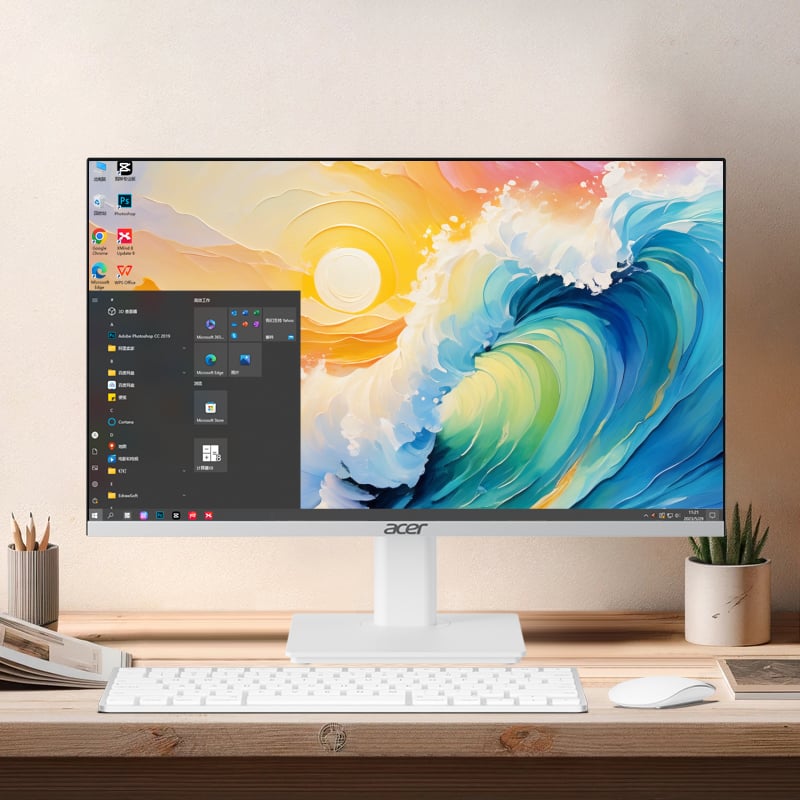
'n Alles-in-een lessenaarrekenaar integreer die skerm, prosessor, stoorruimte, speakers en kamera in een enkele eenheid, wat die afsonderlike toring en die kabels wat dit met die skerm en perifere toestelle verbind, elimineer. Hierdie samevoeging verwyder die grootste bron van lessenaarrommel in 'n tradisionele opstelling en laat beduidend meer bruikbare oppervlakruimte vir ander werkmateriaal oor.
Ja, die kompakte en selfbevattende aard van 'n alles-in-een lessenaarrekenaar maak dit baie geskik vir gedeelde werksplek-omgewings. Dit is maklik om aan- en af te skakel, vereis minimale opstelling tussen gebruikers, en laat nie residuële hardewarekomponente agter wat die oordrag tussen werknemers wat dieselfde lessenaar gebruik, bemoeilik nie.
ʼN Alles-in-een lessenaarrekenaar is hoogs versoenbaar met skoon-lessenaarbeleide omdat dit 'n enkele, selfbevattende eenheid met 'n minimum van kabels voorstel. Wanneer dit met draadlose toebehore gepaard gaan, kan die werksplek aan die einde van elke werksessie in 'n konsekwent netjiese toestand gelaat word, wat dit vir werknemers maklik maak om aan die vereistes van 'n skoon-lessenaarbeleid te voldoen.
Standaardisering op 'n alles-in-een lessenaar vereenvoudig IT-ondersteuning, batebestuur, inkopies en hardewareverversingsiklusse oor die hele organisasie. Dit skep 'n konsekwente basis vir alle werksstasies, verminder die kompleksiteit van die onderhoud van 'n gemengde hardomgewing en ondersteun die handhawing van werkruimte-standaarde wat bydra tot 'n meer georganiseerde en professionele kantoor-kultuur algeheel.
 EN
EN
 AR
AR
 BG
BG HR
HR
 CS
CS
 DA
DA
 NL
NL
 FR
FR
 DE
DE EL
EL
 HI
HI
 IT
IT JA
JA
 KO
KO
 NO
NO PL
PL PT
PT RO
RO
 RU
RU
 ES
ES
 SV
SV
 TL
TL
 IW
IW
 ID
ID
 SR
SR
 SK
SK
 VI
VI
 HU
HU
 TH
TH
 TR
TR
 FA
FA
 AF
AF
 MS
MS
 SW
SW
 UR
UR
 BN
BN
 HA
HA
 KM
KM
 MN
MN
 UZ
UZ